Showing posts with label Twitter. Show all posts

Saturday, October 29, 2016

How to resolve Twitter is not displaying any images twitted from your blog or website? Check this.

TWITTER CARDS-HOW TO DISPLAY IMAGES ON TWITTER TWEETS
Trying to share a link from your blog or website to Twitter but images are not showing up on Twitter? This post would probably help you to resolve the issue. Follow the steps in detail given below to show images on Twitter. Is it important to show images in tweets? Well, yes. People are generally more interested in checking out tweets if there are appropriate images along with the text. "Picture speaks a thousand words" still is common around here.

Usually, when we share links from our blogs or websites to Twitter, we don't want just a bunch of texts, hash tags and the URL but we expect some image to show up on our posts. But I found out the images does not show up on Twitter. Since, you are here, I am sure you have found out and looking for ways to let image appear on Twitter. So, let's get on with it.

Images on Twitter tweets are what Twitter calls "cards". There are four types of Twitter cards:
Read more �
Share:

Wednesday, January 27, 2016

How to use multiple Twitter accounts on the same computer or mobile phone?

Twitter allows us to have multiple accounts. This may be useful for users who would like to have a personal account and a business account. This is ideal for bloggers and website owners as well. It is ideal for your users and followera to identify you by the business name on Twitter that your personal account. Each Twitter account must have a unique email address associated with it. An email address can only be associated with one Twitter account at a time.

How to login to multiple Twitter accounts from the same computer?

Read more �
Share:

Thursday, June 7, 2012

Twitter Follower Box Widget Like Facebook Social Plugin

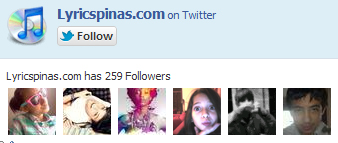
We got a new tutorial the Twitter Follower Box look like a Facebook Follow/like.

Many website designer have been waiting for this great application, that allows your visitors to follow you via twitter without leaving your site. It's called Twitter Follower Box or Twitter Fan Box. It works like and is closely based on Facebook fan/Like box algorithm. The Fan box code is created by Mark Carey.

If you've visited author site, and follow him on twitter, you'll see the code shown. But you can resize the widget size as you need. Now I'll give you the code, which you can resize to fit in your blog.

Here's the step by step installation of Twitter  Follower Box / Fan box to your website of blogs.

a. Go To Blogger > Design
b. Select HTML/JavaScript widget
c. Paste the code below inside it

<!-- Twitter Follower Box -->
<script type='text/javascript'>
function fanbox_init(screen_name){document.getElementById('twitterfanbox').innerHTML='\<iframe name=\"fbfanIFrame_0\" frameborder=\"0\" allowtransparency=\"true\" src=\"http://s.moopz.com/connect.html?user='+screen_name+'\" class=\"FB_SERVER_IFRAME\" scrolling=\"no\" style=\"width: 295px; height: 250px; border-top-style: none; border-right-style: none; border-bottom-style: none; border-left-style: none; border-width: initial; border-color: initial; \"\>\<\/iframe\>';}
</script>
<div id="twitterfanbox"></div><script
type="text/javascript">fanbox_init("lyricspinas");</script
type="text>

<!-- End Twitter Follower Box -->

d. Replace lyricspinas with your twitter username
e. Save and you are done!

The widget will looks like above photo. Good Lucks guys.
Share:

Wednesday, February 29, 2012

Sunday, July 17, 2011

Harper Seven Beckham Picture First seen by Facebook and Twitter Users Online

The photo of the fourth child of David and Victoria Beckham had been released by David on his official Facebook page today July 17, 2011. The former Manchester United star David Beckham had taken the photo of his youngest baby girl while the two most important girls of his life was sleeping..
Facebook, Twitter, First picture of Harper Seven Beckham shared Via Twitter & Facebook, birth injury lawyers bronx, Poster, Wallpaper, image, photo Victoria Beckham shares first picture of Harper Seven with David Beckham / Victoria Beckham's Twitter
In just an hour of posting the updated photo of his wife and his daughter Harper Seven Beckham had already garnered a total of more than 79,771 likes and 12,449 comments. David Beckham had more than 12.5 million fans in Facebook, considered as one of the most popular athlete and most recognized personality on the social networking site.

According to David Beckham the name of their child was taken from the name of the favorite author of his wife, the former Spice Girls members Posh or Victoria Beckham. The author mention was Harper Lee author of the favorite book of Victoria entitled �To Kill A Mockingbird.�
Share: