Tuesday, April 17, 2012

Pick Up Lines Tagalog Jokes

Here�s Pick Up Lines Tagalog Jokes and corny jokes pick up lines tagalog

Please leave your comment to make a best of the best Pick Up Lines Tagalog Jokes.


Kutsara Ka ba?
Bakit?
Kasi napapa-nganga ako kapag lumalapit ka na.
---------
An-An ka ba?
Bakit?
Kasi sa tuwing nakikita kita...kinakati ako eh.
---------
Kanal ka ba?
Bakit?
kasi tanga lang mahulog sayo
---------
May Rabies ba ang laway mo?
Kasi handa akong maulol, makahalik lang sa'yo.
---------
Coffee ka ba?
Bakit?
Kasi ikaw na ang dahilan ng kaba ko. Ikaw pa ang dahilan ng puyat ko.
---------
Charger ka ba?
Bakit?
Coz I need you to fill the emptiness in me
---------
Share:

Sunday, April 8, 2012

List of Website � Increase Backlinks and Popularity

Alternatively if you are using blogger, the first thing to do to improve your SEO is to submit your site sitemap to search engine to get your site indexed faster.

Are You a new site owner? Do not know what to do to increase your site backlinks and links popularity? Or tired of blogwalking looking for a "do follow" site?

Certainly this is an alternative way besides improving your SEO quality, but yes this one works too.

www.who.is/yoursitename
whois.ws/whois-info/ip-address/yoursitename
whoisx.co.uk/yoursitename
www.quantcast.com/yoursitename
www.thegetpr.net/site/yoursitename
nakedweb.org/yoursitename
tatlia.com/yoursitename
websitevaluebot.com/yoursitename
peekstats.com/yoursitename
webworth.info/yoursitename
statswebsites.com/yoursitename
cash81.com/yoursitename
www.cubestat.com/yoursitename
whois.tools4noobs.com/info/yoursitename
www.alexa.com/siteinfo/yoursitename
www.alexa.com/data/details/?url=yoursitename
www.siteadvisor.cn/sites/yoursitename
whois.domaintools.com/yoursitename
www.aboutdomain.org/backlinks/yoursitename
www.whoisya.com/yoursitename
www.who.is/whois-com/yoursitename
www.robtex.com/dns/yoursitename
statout.com/yoursitename
georanks.com/yoursitename
webrapport.net/yoursitename
worthlook.com/yoursitename
worth.im/yoursitename
www.statbrain.com/yoursitename
www.builtwith.com/?yoursitename
www.aboutus.org/yoursitename
uptime.netcraft.com/up/graph?site=yoursitename
www.pageheat.com/heat/yoursitename
www.aboutthedomain.com/yoursitename
websiteshadow.com/yoursitename
domainsearch101.com/domainsearch/yoursitename
page2rss.com/page?url=yoursitename
www.surcentro.com/en/info/yoursitename
www.quarkbase.com/yoursitename
www.esitestats.com/yoursitename
www.siteadvisor.cn/sites/yoursitename/summary/
www.zimbio.com/search?q=yoursitename&btnG=Search
whois.ws/whois-info/ip-address/yoursitename/
Share:

Wednesday, April 4, 2012

What is LOVE?

If you Love some one because you think that he/she is really gorgeous-
Then it's not love_ it's "Infatuation"...

If you love some one because you think that you shouldn't leave him because others think that you shouldn't...
Then it's not love,, it's "compromise"...

If you love some one because you think that you cannot live with out his touch...
Then it's not love,, it's "lust"...

If you love some one because you have been kissed by him...
Then it's not love,, it's "inferiority complex"...

If you love some one because you can't leave him thinking that it would hurt his feeling...
Then it's not love,, it's "charity"...

If you love some one because you share every thing with him...
Then it's not love,, it's "friendship"...

If you feel the pain of the other person more than him even when he/she is stable and you cry for him...
That's "LOVE"

If you get attracted to ther people but stay with him/her without any regrets...
That's "LOVE"

If you let him/her go knowing that he/she has to go but he/she doesn't want to...
That's "LOVE"
Share:

Thursday, March 29, 2012

Monday, March 26, 2012

Refresh Blogger/Blogspot/website Automatically

1.Login to your blogger dashboard--> layout- -> Edit HTML

2.Scroll down to where you see <head> tag .

3.Copy below code and paste it just after the <head> tag.

<meta HTTP-EQUIV='refresh' content='15;URL=http://yoursite.com'/>

Note: Replace http://yoursite.com with your blog or website URL.

15 is the time period between 2 page refresh.Change it as your choice.

4.Now save your template and you are done.
Share:

Blogger Post and Country-Specific Domains

How to Prevent your Blogger blog from redirecting the country-specific URL.

Google, as most would know, redirects Blogger blogs to country-specific domains. For instance, if you open onedirection.blogspot.com in your browser, you might be redirected to onedirection.blogspot.in if you are located in India or to onedirection.blogspot.com.au if you access the same blog from Australia.

Prevent Blogger from Redirecting to Country-Specific Domains

Go to your blog inside the Blogger Dashboard and choose Template. Then click the �Edit HTML� button followed by �Proceed.� Next, copy-paste the following code into the template after the <head> tag. thanks to labnol for this code

<script type="text/javascript">
var blog = document.location.hostname;
var slug = document.location.pathname;
var ctld = blog.substr(blog.lastIndexOf("."));
if (ctld != ".com") {
var ncr = "http://" + blog.substr(0, blog.indexOf("."));
ncr += ".blogspot.com/ncr" + slug;
window.location.replace(ncr);
}
</script>

Click the Save Template button and now your Blogger Blog will always serve with the blogspot.com URL.

This simple script parses the domain name (document.location.hostname) of your blog page and if it includes a country-specific URL (like blogspot.in), it will force-redirect the visitor to the blogspot.com address using the /ncr switch.
Share:

Mies van der Rohe's 126th Birthday Google Homepage

Google Homepage today Commemorates 126th Birthday of German architect Mies van der Rohe. Building Google Doodle.

Mies developed a design approach based on advanced structural techniques and Prussian Classicism. He also developed a sympathy for the aesthetic credos of both Russian Constructivism and the Dutch De Stijl group. He borrowed from the post and lintel construction of Karl Friedrich Schinkel for his designs in steel and glass.

Mies worked with the magazine G which started in July 1923. He made major contributions to the architectural philosophies of the late 1920s and 1930s as artistic director of the Werkbund-sponsored Weissenhof project and as Director of the Bauhaus.

Mies van der Rohe's 126th Birthday Google Homepage, mies van der rohes 126th birthday google doodle.jpg
Share:

Sunday, March 25, 2012

Installing Archive on Blogger/blogspot Website

Here's the easy steps on how to setup a Archive page for your blogger site.

This is my popular question?? 

How do I put my archive on it's own page?
1) Put my archive on a separate page, which I can link to from a tab in my page gadget and then...
2) To remove the archive gadget from the main page or make it invisible.

Alternatively, you can ignore everything above and do as I say.

1) Create a static page dedicated for archiving:
Dashboard - Posting - Edit Pages - New Page - Set page title as Archive - Publish Page - View page - copy down it's address/URL

2) We wanna add a archive gadget and place it below Post's Body.
Dashboard - Design - Page Elements - Add a gadget - Blog Archive - Click and drag the gadget so that it will below the box that reads 'Blog Posts'.

3) We gonna play with codes here. We have 2 objectives. Hide archive gadget from all pages except for the page that we have created in step 1, and hide all page elements from the page tat we have created in step 1 except for the gadget archive. At this point, let's just say things will be ALOT easier if I have known you URL. Without taking a look at your template, I cant promise the code will work in your blog. But I will post the code that works in mine.

Dashboard - Design - Edit HTML - find for </b:skin> - place the following code below </b:skin>.

<b:if cond='data:blog.url == &quot;http://alljectsart.blogspot.com/p/archive.html&quot;'>
<style>
#Blog1{
display:none;
}
</style>
</b:if>

<b:if cond='data:blog.url != &quot;http://alljectsart.blogspot.com/p/archive.html&quot;'>
<style>
#BlogArchive1{
display:none;
}
</style>
</b:if>


4) Save it. Goodluck

If this does not work on you, please post your URL here after finishing steps 1 and 2.
Share:

Saturday, March 24, 2012

Thumbnails Related Posts for Blogger

Here the answer for Related Posts Widget for Blogger with Thumbnails.

For displaying the thumbnails,this widget will use the images uploaded for the post using the blogger image uploader(from the post editor) [Update - Now supports external images also.]

Related Posts Widget with Thumbnails for Blogger

Thumbnails Related Posts for Blogger
Here are the detailed steps to install the related posts widget for blogger with thumbnails.

1.First of all Login to your blogger dashboard and navigate to Layout > Edit HTML and check the "Expand Widget Templates" check box

2.Now look for

</head>

and replace it with

<!--Related Posts with thumbnails Scripts and Styles Start-->
<!-- remove --><b:if cond='data:blog.pageType == &quot;item&quot;'>
<style type="text/css">
#related-posts {
float:center;
text-transform:none;
height:100%;
min-height:100%;
padding-top:5px;
padding-left:5px;
}

#related-posts h2{
font-size: 1.6em;
font-weight: bold;
color: black;
font-family: Georgia, &#8220;Times New Roman&#8221;, Times, serif;
margin-bottom: 0.75em;
margin-top: 0em;
padding-top: 0em;
}
#related-posts a{
color:black;
}
#related-posts a:hover{
color:black;
}

#related-posts a:hover {
background-color:#d4eaf2;
}
</style>
<script type='text/javascript'>
var defaultnoimage="https://blogger.googleusercontent.com/img/b/R29vZ2xl/AVvXsEgJwWZXK10tCbxj600LzgfRfELDh_FGKTh_EKmfAd-FEvrCILjVRllniy1gQ1Xmsb-aKM4UA9teThQvEd8pBVx6FhlmaRbBHb6ya84jmOqRNhpFiYEVhQiSw4I2oRr0U9qNWBY4MuMGg7w/s400/noimage.png";
var maxresults=5;
var splittercolor="#d4eaf2";
var relatedpoststitle="Related Posts";
</script>
<script src='http://blogergadgets.googlecode.com/files/related-posts-with-thumbnails-for-blogger-pro.js' type='text/javascript'/>
<!-- remove --></b:if>
<!--Related Posts with thumbnails Scripts and Styles End-->
</head>

3. Now Find

<div class='post-footer-line post-footer-line-1'>

f you cant find it then try finding this one

<p class='post-footer-line post-footer-line-1'>

Now immediately after any of these lines(whichever you could find) place this code snippet

<!-- Related Posts with Thumbnails Code Start-->
<!-- remove --><b:if cond='data:blog.pageType == &quot;item&quot;'>
<div id='related-posts'>
<b:loop values='data:post.labels' var='label'>
<b:if cond='data:label.isLast != &quot;true&quot;'>
</b:if>
<script expr:src='&quot;/feeds/posts/default/-/&quot; + data:label.name + &quot;?alt=json-in-script&amp;callback=related_results_labels_thumbs&amp;max-results=6&quot;' type='text/javascript'/></b:loop>
<script type='text/javascript'>
removeRelatedDuplicates_thumbs();
printRelatedLabels_thumbs(&quot;<data:post.url/>&quot;);
</script>
</div><div style='clear:both'/>
<!-- remove --></b:if>
<b:if cond='data:blog.url == data:blog.homepageUrl'><b:if cond='data:post.isFirstPost'>
<a href='http://www.bloggerplugins.org/2009/08/related-posts-thumbnails-blogger-widget.html'><img style="border: 0" alt="Related Posts Widget For Blogger with Thumbnails" src="http://image.bloggerplugins.org/blogger-widgets.png" /></a><a href='http://bloggertemplates.bloggerplugins.org/' ><img style="border: 0" alt="Blogger Templates" src="http://image.bloggerplugins.org/blogger-templates.png" /></a>
</b:if></b:if>
<!-- Related Posts with Thumbnails Code End-->

4.You can adjust the maximum number of related posts being displayed by editing this line in the code.

var maxresults=5;

you will also have to edit the posts per label(it should ideally be one more that maxresults)

max-results=6

5.To edit the title of the widget you can change this line of code

var relatedpoststitle="Related Posts";

6.To change the default thumbnail, you can edit this line of code

var defaultnoimage="https://blogger.googleusercontent.com/img/b/R29vZ2xl/AVvXsEgJwWZXK10tCbxj600LzgfRfELDh_FGKTh_EKmfAd-FEvrCILjVRllniy1gQ1Xmsb-aKM4UA9teThQvEd8pBVx6FhlmaRbBHb6ya84jmOqRNhpFiYEVhQiSw4I2oRr0U9qNWBY4MuMGg7w/s400/noimage.png";

7. save.

How to display the related posts on every page and not only on the post pages?
Share:

Thursday, March 22, 2012

Juan Gris 125th Birthday � Google Doodle

Google Homepage Commemorate 125th Birthday of Juan Gris.

Jos� Victoriano (Carmelo Carlos) Gonz�lez-P�rez, better known as Juan Gris, was a Spanish painter and sculptor who lived and worked in France most of his life. His works, which are closely connected to the emergence of an innovative artistic genre�Cubism�are among the movement's most distinctive.

Juan Gris 125th Birthday � Google Doodle, juan gris 125th birthday
Share:

Tuesday, March 20, 2012

Answer: Individual Facebook members can connect to a maximum of 5000 friends and Pages

Individual Facebook members can connect to a maximum of 5000 friends and Pages. To do this action, you'll need to remove a friend or unlike a Page you're already connected to.

To unfriend someone:

1.Go to that person's profile (timeline)

2.Hover over the Friends box at the top of their profile (timeline)

3.Click Unfriend

Note: If you choose to unfriend someone, you will be removed from that person's friends list as well. If you want to be friends with this person again, you'll need to send a new friend request.

Answer: Individual Facebook members can connect to a maximum of 5000 friends and Pages

manage your settings for each app you�ve authorized:

1.Click the at the top right corner of Facebook and click Account Settings.

2.From the menu in the left column, select Apps.

3.Select the app you want by clicking on the app's name or the edit link

4.Choose an audience with the audience selector from the App activity privacy section. That app can only publish stories to people within the audience you choose.

To manage your general settings for apps and websites:

1.Click the at the top left corner of Facebook and pick Privacy Settings.

2.Under the Apps and Websites heading, click Edit settings. From here, you can turn off all platform apps, control what information is open to your friends through apps and websites they use, and more.
Source(s):
Face Book Help Center
Share:

Thursday, March 15, 2012

How to Update Google AdSense Ad Code

Here's the video tips on how to update your old ad code to the new code. I will be watching times again to ensure i follow the instructiona well.

By updating your ad unit code, you'll be able to make changes to your ad units from within your account, without updating your pages. Additionally you'll have access to richer performance reports and optimization suggestions.

Watch video here:

If you have existing ad units you'd like to keep using, you can easily upgrade your ad code within your account using our import code option.

1. On your website, find and copy the AdSense code that you'd like to update.
2. Sign in to your account.
3. Visit the My ads tab.
4. Click the Import button.
5. On the next page, name the ad unit you're creating. We suggest including the site, page, location, and appearance.
6. Paste the code that you copied into the Old AdSense code box.
7. Click Import. This creates a new AdSense unit with the same settings as the old one.
8. Replace the old code on your pages with the newly generated code, and save your pages.

In the future, you'll be able to make changes to this AdSense unit from within your account, without updating your pages.

Share:

Tuesday, March 13, 2012

Akira Yoshizawa 101st Birthday Origami Art by Robert Lang

Today is 101st Birthday of Akira Yoshizawa, Google Homepage commemorate with a Doodle.

Akira Yoshizawa was considered to be the grandmaster of origami. He is credited with raising origami from a craft to a living art. According to his own estimation made in 1989, he created more than 50,000 models, of which only a few hundred designs were diagrammed in his 18 books. Yoshizawa acted as an international cultural ambassador for Japan throughout his career.

akira yoshizawa 101st birthday origami art by robert lang.jpg
Share:

Friday, March 9, 2012

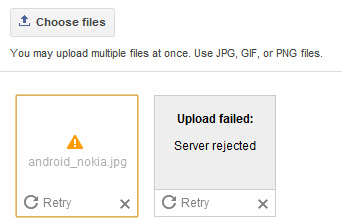
Picasa Uploading Picture � Server rejected

Here's the solution tip/advice to your problem. my photo blog won't upload photos! all images are being rejected by the server. any other solutions?

The problem has nothing to do really with which editor you are using as some forum replies may suggest. That may fix the problem for one or two images but you will be back in the same boat soon unless you deal with an issue at Picasa..

The problem is that the photo album at Picasa where your photos have been getting stored is now full and Picasa, for whatever reason, has not automatically generated a new album. The best thing to do is go to Picasa and manually create a new album then upload a couple pictures to it. After that you should be able to start uploading images again and will be able to until that album is full. Then you repeat the process.
Picasa Uploading Picture � Server rejected, server rejected message.jpg
The worst case scenario is that you have to upload your images to Picasa directly then in the New Editor when you want to upload an image you go to that Picasa album and get the image you just uploaded, but I have not had to do that so far except with the 1st image or two to get the ball rolling.
Share:

Answers: add Pinterest Follow button on WordPress/Blogger/Joomla!

Here's the tutorial on How to add a Pinterest Follow button.

For webmasters, Pinterest now offers pin it button for websites. It will help your readers to pin content just by clicking the button right from your page. So your readers will able to pin your posts and pages to their pinboards without leaving your site. As it is a virtual pinboard exist online, Pinterest will always do crawling for images or videos when someone share a link to their pinboards.

Therefore if your posts or pages contain images or videos, you are ready to be pinned. But if you don't have images or videos on your posts, Pinterest button still allows you to specify external image or video to be shared when users pin your content. But the main problem is, you can't just implement Pin it button on your site.

Pin it button does not crawl implemented page automatically as the Pin it bookmarklet do and you need to configure it individually. So official Pin it button always needs to specify exact URL of post and URL of the image or video on the page. But when it comes to Blogger/WordPress or Joomla, you can't edit each and every page to add Pin it button individually. So you can't make use of official Pin it button in Blogger. Eventhough you are able to edit your pages and configure Pin it button individually, it will a waste of time if you have many number of pages on your site. But here you will find an alternative way to pin your content which derived from Pinterest Pin it bookmarklet. So Blogger users still able to let their readers to pin content from their blogs. However it has no associated button count. Interested? Let's implement it in your blog.
Answers: add Pinterest Follow button on WordPress/Blogger/Joomla

Button code:

Below are a list of available buttons provided by Pinterest on their website.

156x26

<a href="http://pinterest.com/USERNAME/"><img src="http://passets-cdn.pinterest.com/images/follow-on-pinterest-button.png" width="156" height="26" alt="Follow Me on Pinterest" /></a>

78x26

<a href="http://pinterest.com/USERNAME/"><img src="http://passets-cdn.pinterest.com/images/pinterest-button.png" width="78" height="26" alt="Follow Me on Pinterest" /></a>

61x61

<a href="http://pinterest.com/USERNAME/"><img src="http://passets-cdn.pinterest.com/images/big-p-button.png" width="61" height="61" alt="Follow Me on Pinterest" /></a>

16x16

<a href="http://pinterest.com/USERNAME/"><img src="http://passets-cdn.pinterest.com/images/small-p-button.png" width="16" height="16" alt="Follow Me on Pinterest" /></a>

How to add code to website:

Adding to Blogger
Go to Layout (or Design in the old interface).
Click Add A Gadget and select HTML/Javascript gadget.
Copy a code above and paste it inside the content box.
Replace �USERNAME� with your Pinterest username.
Convert Html code here:
Save.

Adding to WordPress
Go to Dashboard > Appearance > Widgets > Available Widgets.
Drag Text widget into a sidebar.
Paste in the code.
Replace �USERNAME� with your Pinterest username.
Convert Html code here:
Save.
Share:

VIDEO � Google Image Search � SEO

Here's informative video, Peter Linsley's presentation on Google Image Search, originally delivered at SMX West in February, 2009.

Watch video here:


Peter Linsley of Google Images shares some simple yet important image optimization tips that might help you get more traffic from image search engines:

1. Users prefer large, high-quality images (high-resolution, in-focus).
2. Users are more likely to click on quality thumbnails in search results. Quality pictures (again, high-res and in-focus) often look better at thumbnail size.
3. Distracting features such as loud watermarks, text over the image, and borders are likely to make the image look cluttered when reduced to thumbnail size.
Share:

Wednesday, March 7, 2012

Monday, March 5, 2012

Sunday, March 4, 2012

Saturday, March 3, 2012

Answers: Add Blogger Sitemap to Google Webmaster

How to Submit Blogger Sitemap to Google Webmasters? Here is video tutorial describes how you can add your blogspot.com blog to Google Webmaster Tools using an XML sitemap.


Add Your Blogspot Blog Sitemap to Google Webmaster Tools

Step 1. Open the Google Webmaster Tools website at google.com/webmasters and click "Add a Site" button to submit your Blogger blogger.

You can either type the web address (URL) of your blogspot.com blog or even a self-hosted blog where you are using the Blogger platform with your personal domain.

Step 2. Google will ask you to verify that you are the owner of this blog. Just copy-paste the meta code to the clipboard and then paste* this information into the template of your Blogspot blog.

*You should switch to the "HTML" version of your blog template and paste the code just below the tag.

Step 3. Go back to Google Webmaster Tools and select "Sitemaps" from the right sidebar. Now click the "Submit a Sitemap" button.

Step 4. Type atom.xml?redirect=false and submit. Once the clock status icon changes to a green tick, your Blogger sitemap has been successfully submitted to Google for indexing.
Share:

Wednesday, February 29, 2012

Saturday, February 25, 2012

Wednesday, February 22, 2012

Google Webinar for your Website � Video

Here's the video of Webinar: Google Trifecta for your Website.

Watch video here:

From Youtube:

Speakers provide introductions to Google Webmaster Tools, Google Analytics, and Google Website Optimizer and answer common questions. Individually, each tool offers valuable and actionable information about specific aspects of your site; combined, you get a comprehensive understanding of both your visitors and your pages.

Share:

Saturday, February 18, 2012

VIDEO: What is placement targeting?

Here's the video of AdSense Optimization: Opt-in to Placement Targeting.

From Google Support:

What is placement targeting?

One of the ways ads are targeted to AdSense publisher websites is through placement targeting. Placement targeting allows AdWords advertisers to choose specific ad placements where they'd like their ads to appear. An ad placement can be an entire website or a specific sub-set of ad units within that site, such as only ad units on a site's sports pages or all ad units at the top of the page.

Advertisers find ad placements in several ways, including by listing websites where they'd like to advertise or by searching for placements that match the themes and topics they'd like to target.

If your site is part of the AdSense network, it should automatically be visible to advertisers as an available ad placement when they search for themes or topics related to the content of your site. You can also define your own ad placements using specific sub-sets of ad units on your site.

Share:

What is Google AdSense Page RPM?

What is RPM and what is its effect on my adsense earning?

Best answer by gddsmith:

It's page revenue per 1000 ad unit impressions. If you go to the Performance report & click the ? mark to the right of the RPM up by the graph it explains it.

When you click RPM on the performance report for the last 7 days it simply rearranges the order. The default of the list to start is by date, when you click RPM it rearranges the list in order of the highest to lowest RPM, click RPM again & it will rearrange it in lowest to highest order.

RPM has no effect on earnings, it's simply a calculation of how much you would earn for 1000 impressions based on the earnings & page views you actually had.

RPM = Actual estimated earnings divided by ad unit impressions received times 1000

Note that if you are viewing ad impressions it gives you the RPM which is based on ad unit impressions/queries, if you are viewing Page Views it gives you Page RPM which is based on the number of page views instead of ad unit impressions. Therefore Page RPM is what was called Page eCPM in the old interface.
Share:

What is Above the fold? � Web Design

Many website mension this name, when topics is about Google Adsense.

From Wekipedia:

Read:

"Above the fold" is a graphic design concept that refers to the location of an important news story or a visually appealing photograph on the upper half of the front page of a newspaper, or in case of webpages, the part of a page that's visible without scrolling. Most papers are delivered and displayed to customers folded up, meaning that only the top half of the front page is visible. Thus, an item that is "above the fold" may be one that the editors feel will entice people to buy the paper.

Alternatively, it reflects a decision, on the part of the editors, that the article is one of the day's most important. By extension, the space above the fold is also preferred by advertisers, since it is the most prominent and visible even when the newspaper is on stands.

The term can be used more generally to refer to anything that is prominently displayed or of highest priority.
This term has been extended and used in web development to refer the portions of a webpage that can be visible without scrolling. However, some have suggested that this term is vague as screen sizes vary greatly between users, especially in an era where websites are viewed with mobile devices as much as home computers.
Share:

What is Google AdSense Coverage?

Becky Sharpe Ask a Quistion: I've noticed this new metric in the new AdSense interface and can't understand what it is meant to represent. For example, today the percentage for Content is 69.64% and the percentage for Search 100%. I've searched to FAQ's but nothing makes much sense to me. Any clarification would be very welcome.


Best answers by Engineer Guillaume: Hi Becky, This is a good question. Unfortunately the documentation is not complete yet, so here is a temporary explanation: Coverage is the percentage of ad unit impressions or queries that showed ads: - A coverage of 100% means that AdSense was always able to provide ads to match the content of the page (Content) or the query keywords (Search). - A coverage of less than 100% means that AdSense was not able to find ads for some ad units or search queries, which didn't show ads as a result. Hope this helps, Guillaume
Share:

Thursday, February 16, 2012

Google AdWords Guide for Success Video


With Google AdWords, it's all about results. Optimization means taking steps to get the results you want by improving the quality and performance of your account � without raising costs. 


We've designed these optimization strategies to help you achieve success with your advertising campaigns.

See our Optimization Center for detailed tips and strategies. Or, for a brief overview, see the tips below.

  1. Identify your advertising goals.
  2. Organize your account for maximum effectiveness.
  3. Choose relevant keywords and placements.
  4. Create straightforward, targeted ads.
  5. Optimize your website for conversions.
  6. Track your account performance.
  7. Test and modify your campaigns to get the results you want.
 1. Identify your advertising goals.
Your optimization strategy depends on the objectives that you define for your campaigns.

With specific goals in mind, you can work strategically to achieve your objectives, track your performance, and make the modifications necessary to get the results you want. Here are some typical objectives and sample focus areas for each goal:

"I want to get more clicks."
Focus on keywords and placements. Increase your ad exposure by adding keywords and site placements to your ad groups.

"I want to increase my clickthrough rate (CTR)."
Focus on ad quality. Attract more clicks by refining your ads, and eliminate extra impressions by choosing highly targeted keywords and placements and using negative keywords.

"I want to improve my return on investment (ROI)."
First, focus on your ads and your keywords and placements to attract the right audience. Then focus on your website. Be sure your landing page and site are set up to let users find what your ad offers.
 2. Organize your account for maximum effectiveness.
A well-structured account is easy to manage and allows you to effectively target your audience.

Organize your campaigns by topic. 
Create separate campaigns for each of your product lines, resources, or brands. This helps you monitor your advertising more easily and make the necessary adjustments to improve your campaign performance. Ask yourself what you want to achieve with each campaign. Then structure your campaign based on this goal. View a diagram and learn more about the structure of your account.

Target the right languages and locations. 
For each campaign, you can choose to target your ads to particular languages and locations (plus choose your budget and other settings). Be sure to target only the languages and locations that are relevant for your business. For example, if you ship your products to locations within a certain distance of your business, target the country, territory, region, or city related to the area, instead of to 'All Countries.'

Create highly specific ad groups.
As with your campaigns, each ad group should center on a single product or service to ensure your ads reach the most qualified users. Build a list of keywords or placements, then separate them into related ad groups. Create ads that pertain directly to that list. For example, if you sell mp3 players, and you've organized your campaigns by brand, create multiple ad groups based on the models of each brand.

Avoid duplicate keywords across ad groups.
Google shows only one ad per advertiser on a particular keyword, so there's no need to include duplicate keywords in different ad groups or campaigns. Identical keywords compete against each other, and the better-performing keyword triggers your ad.

Review example campaigns advertising a single product/service and multiple products/services.
 3. Choose relevant keywords and placements.
The more relevant your keywords and placements are to your goals, the more easily you can reach your potential customers.
Choose your keywords carefully.
Include specific keywords that directly relate to the specific theme of your ad group and landing page. For optimal ad visibility, include relevant keyword variations, along with singular and plural versions. If applicable, consider using colloquial terms, alternate spellings, synonyms, and product or serial numbers. The keyword tool can help generate lists of possible keywords.
Take advantage of keyword matching options.
With some keywords, you'll get more ad impressions; with others, you'll get fewer impressions but potentially more clicks. By strategically using keyword matching options, you can reach the most appropriate prospects, potentially reduce your actual CPC or CPM, and increase your ROI. Use broad match to capture relevant traffic on variations of your keyword, such as longer queries, plurals, synonyms, or different spellings.
Use placement-targeted campaigns.
Placements are locations on the Google Display Network where your ad can appear. With placement-targeting, you can choose individual spots on the Display Network to show your ads (called managed placements) or simply let Google's proven ad targeting display your ads on the website pages most relevant to your products and services (automatic placements). We'll only look at your managed placements when searching for relevant places to display your ads. Unlike automatic placements, keywords aren't required.
When using managed placements, you can do the following to make sure your ads are relevantly targeted to the right content on the right sites:
  • Exclude placements if you don't want your ads to appear on them at all.
  • Manage individual or default bids to adjust how competitive you want to be on certain placements.
  • Add keywords and negative keywords to refine where your ads run.
  • See URL-level details on the placements where your ads appear and quickly make data-driven decisions to improve your ad group's performance.
Choose your placements carefully.
Include websites and other placements that are relevant to your products or services, and be sure to choose enough of them. The more relevant the placements you target, the better the chances your ad will show. We provide four ways to choose placements: you can list URLs, describe topics, browse topics, or select demographics. To create the most effective list, we strongly suggest using all four methods.
When using the Placement Tool to find and select websites, pay attention to the Ad Formats column in the list of available placements. If you run only certain kinds of formats -- for instance, image ads only, or text and video ads only -- make sure you select placements that run the kinds of formats you have to offer.
 4. Create straightforward, targeted ads.
The content of your ads should capture users' attention and set your business apart.

Include keywords in your ad text (for keyword-targeted ads).
Include your keywords in your ad text (especially the title) to show users that your ad relates to their search. If your ad shows when a user searches on a keyword in your ad group, the keyword will appear in bold in your ad text. Also, users tend to search for products and services, so avoid using your company name in the ad title unless your goal is brand/company name recognition.

Create simple, enticing ads. 
What makes your product or service stand out from your competitors? Highlight these key differentiating points in your ad. Be sure to describe any unique features or promotions you offer.

Use a strong call-to-action. 
Your ad should convey a call-to-action along with the benefits of your product or service. A call-to-action encourages users to click on your ad and ensures they understand exactly what you expect them to do when they reach your landing page. Some call-to-action phrases are Buy, Sell, Order, Browse, Sign up, and Get a Quote.

Test multiple ads in each ad group. 
Experiment with different offers and call-to-action phrases to see what's most effective for your advertising goals. Our system automatically rotates ads within an ad group and shows the better-performing ad more often.
 5. Optimize your website for conversions.
Ultimately, your website determines how well your ads convert, so be sure it's designed to let users complete the action you want them to take.
Point users to the right landing page.
Typical internet users decide quickly whether to stay on a website or move on to another. When users click on your ad, they should arrive at a landing page clearly displaying the information or product offered in your ad. If users don't immediately find what prompted them to click on your ad, they're more likely to leave your site without converting.
Evaluate your site design.
Take a close look at your site's overall layout and functionality. Sites that are attractive, easy to navigate, and informative tend to be more profitable. You might consider usingGoogle Analytics to get a better idea of how well your site is working.
Test your way to effective site content.
Rather than just guessing what webpage content will lead to the most conversions, we encourage you to try Website Optimizer. This tool enables you to test different versions of your site content such as text, images, and layout on your landing page or any other webpage. The results will show what's most effective in increasing conversions on your page and boosting your return on investment.
Keep the user experience in mind.
As you design or redesign your landing page and website, make the user experience a high priority. For example:
  • Place important information and images on the top left, where the eye naturally goes first.
  • Help people get what they want in three clicks or fewer.
  • Cut out popups and popunders.
  • Create a simple process for users to complete transactions.
Read our guidelines for landing page and site quality to learn more about providing a quality user experience for your visitors.
 6. Track your account performance.
Monitoring your results allows you to ensure you're getting a good return on your investment.
Check your account statistics.
Your CTR, first page bid estimates, and keyword status are good initial indicators of how well your ads are performing. Your account statistics are reported at the campaign, ad group, and keyword or placement levels. They include clicks, impressions, CTR, average CPC or CPM, cost, average position, conversion rate, and cost-per-conversion. Learn more about evaluating your account performance.
Set up custom alerts.
The easiest way to identify changes in your account is to create custom alerts for the metrics you want to measure. Once you've created an alert and specified the parameters of what you'd like to monitor, we'll automatically notify you when certain behaviors and/or changes occur within your campaigns and ad groups. Learn more about monitoring your account performance.
Create reports.
You can create reports that tell you exactly what statistics you want to know, from the campaign level to the keyword or placement level.
Use web analytics.
Google Analytics helps you analyze what people are doing on your site. This detailed information shows which AdWords keywords are most profitable and what customers are really looking for on your site.
 7. Test and modify your campaigns to get the results you want.
Optimizing your campaigns regularly will help you keep up with users and market trends and ultimately reach your advertising goals. 

Evaluate your campaign performance and make changes as necessary.
Allow your ad performance to educate you about effective strategies for achieving your goals. As you observe your ads over time, you might notice things that are working especially well (or not so well). For example, if you find users aren't responding to a particular call-to-action in your ad text, delete that ad and try something else. Learn how to edit your account settings.

Try different bidding options.
If your campaign is eligible for the Conversion Optimizer, this feature can help you increase your conversions and decrease your cost-per-acquisition.
Share: