Friday, July 6, 2012

RPC failed 32700 Invalid JSON

Today i was editing one of my bloggers template and this Error message upper on the lower position. What is the meaning of this pop up message "RPC failed 32700 Invalid JSON."

Have a look at the screenshot picture below.

JSON-RPC is a remote procedure call protocol encoded in JSON. It is a very simple protocol (and very similar to XML-RPC), defining only a handful of data types and commands. JSON-RPC allows for notifications (info sent to the server that doesn't require a response) and for multiple calls to be sent to the server which may be answered out of order.

RPC failed 32700 Invalid JSON
Share:

Tuesday, July 3, 2012

Google Chrome has stopped working July 03, 2012

Here's the message that pops up on my laptop screen.

Goggle Chrome has stopped working. A problem caused the program to stop working correctly. Windows will close the program and notify you if a solution is available.

The below message can be seen on Mozila Firefox browser when i was sign in blogger.

Your browser is no longer supported by Blogger. Some parts of Blogger will not work and you may experience problems.
If you are having problems, try Google Chrome. | Dismiss
Share:

Friday, June 29, 2012

How to Remove Blog Title From Post Title?

Here's the toturial on how to remove Blog Title on Blogger.

When search engines are trying to index your site they give you extra brownie points by what is written in the title. So if someone was searching for "brown puppies" and your title or your post was "brown puppies", then this would make your post seem more relevant than a post titled "big cars". Now the problem is if your blog title was "Favorite Stuff" then your post on brown puppies would read "Favorite Stuff: Brown Puppies" to the search engines.

Obviously this is degrading the value of the title by keeping the blog title in place. So, we want to get rid of it. How do we do it?


1. Log into the Dashboard and select the appropriate blog.


2. Goto Layout


3. Edit HTML


4. You should backup your template although there should not be a problem.

Continue Reading....
Share:

Wednesday, June 27, 2012

What is cloaking? Video Explanation

What the meaning of Cloaking Watch video here for explanation.

Cloaking
Cloaking refers to the practice of presenting different content or URLs to users and search engines. Serving up different results based on user-agent may cause your site to be perceived as deceptive and removed from the Google index.

Some examples of cloaking include:
  • Serving a page of HTML text to search engines, while showing a page of images or Flash to users.
  • Serving different content to search engines than to users.
If your site contains elements that aren't crawlable by search engines (such as rich media files other than Flash, JavaScript, or images), you shouldn't provide cloaked content to search engines. Rather, you should consider visitors to your site who are unable to view these elements as well. For instance:
  • Provide alt text that describes images for visitors with screen readers or images turned off in their browsers.
  • Provide the textual contents of JavaScript in a noscript tag.

Doorway pages
Doorway pages are typically large sets of poor-quality pages where each page is optimized for a specific keyword or phrase. In many cases, doorway pages are written to rank for a particular phrase and then funnel users to a single destination.

Whether deployed across many domains or established within one domain, doorway pages tend to frustrate users, and are in violation of our Webmaster Guidelines.

Google's aim is to give our users the most valuable and relevant search results. Therefore, we frown on practices that are designed to manipulate search engines and deceive users by directing them to sites other than the ones they selected, and that provide content solely for the benefit of search engines. Google may take action on doorway sites and other sites making use of these deceptive practice, including removing these sites from the Google index.


Sneaky JavaScript redirects

When Googlebot indexes a page containing JavaScript, it will index that page but it may not follow or index any links hidden in the JavaScript itself. Use of JavaScript is an entirely legitimate web practice. However, use of JavaScript with the intent to deceive search engines is not. For instance, placing different text in JavaScript than in a noscript tag violates our Webmaster Guidelines because it displays different content for users (who see the JavaScript-based text) than for search engines (which see the noscript-based text). Along those lines, it violates the Webmaster Guidelines to embed a link in JavaScript that redirects the user to a different page with the intent to show the user a different page than the search engine sees. When a redirect link is embedded in JavaScript, the search engine indexes the original page rather than following the link, whereas users are taken to the redirect target. Like cloaking, this practice is deceptive because it displays different content to users and to Googlebot, and can take a visitor somewhere other than where they intended to go.

Note that placement of links within JavaScript is alone not deceptive. When examining JavaScript on your site to ensure your site adheres to our guidelines, consider the intent.

Keep in mind that since search engines generally can't access the contents of JavaScript, legitimate links within JavaScript will likely be inaccessible to them (as well as to visitors without Javascript-enabled browsers). You might instead keep links outside of JavaScript or replicate them in a noscript tag.
Share:

Tuesday, June 12, 2012

Justin Bieber Love Quotes

Here's Justin Bieber Music Quote for Child, Teens. Checkout below and Post your Qoutes and Saying below.

Justin Bieber best quotes and sayings

Justin Bieber Love Quotes

�I have crushes, but they�re all too old. Like Beyonce -she has a husband, I might get shot. I went up to give Beyonce a hug at the Grammy�s and Jay-Z said, watch out buddy! He was kidding, but you know��

�I�m telling you, people. Everyday we wake up is another blessing. Follow your dreams and don�t let anyone stop you. Never say never.�

�I really don�t believe in abortion. It�s like killing a baby?�

�It would be a shame to go out with a hot girl you can�t have a decent conversation with!�

�There are lots of things I really like besides girls. Like pizza. And pranking. And CHUCK NORRIS.�

�Two people can look at the same thing and see it differently..�

�I want my world to be fun. No parents, no rules, no nothing. Like, no one can stop me. No one can stop me.�

�I want girls to hear my music and want to play it again because it made their hearts feel good.�

�I always thank God for giving me this opportunity and for blessing me with this talent.�

�I love that my fans are so devoted, because without them i wouldn�t have this opportunity.�

�My fans will grow up with me.�
Share:

how to remove Trojan horse dropper.generic

How do i remove trojan horse dropper generic.DZD from my computer?

I was discovered by AVGfree edition.found in C:SYSTEM VOLUME INFORMATION ...,CANNOT BE MOVED 2 VIRUS VAULT OR BE HEALED.but when i use norton 2 scan i dont seem 2 see dis virus.

Answer:

Try turning off system restore diconnect your self from the internet and then boot into safe mode, after doing this make sure you do a full scan and see what happens. also make sure your virus software is upto date and that your firewall is turned on.
Share:

Friday, June 8, 2012

Read the New Google Privacy Policy

Google has already informed all about the Changes which would be applying to the Google Privacy Policy and Terms of Service which go in effect from March 1, 2012.

Let�s have a look at the email sent by Google to every Google user :

Dear Google user,

We�re getting rid of over 60 different privacy policies across Google and replacing them with one that�s a lot shorter and easier to read. Our new policy covers multiple products and features, reflecting our desire to create one beautifully simple and intuitive experience across Google.

We believe this stuff matters, so please take a few minutes to read our updated Privacy Policy and Terms of Service at http://www.google.com/policies. These changes will take effect on March 1, 2012.


Interpretation of the New Google Privacy Policy

The first point states not to misuse Google services. It points to those who are using Google accounts for wrong and illegal activities like terrorists and crackers to send emails and crack others� accounts.

Don�t mess with the Google Property. Google points on the copyright issue up here, this is a serious call for those who are using Google�s content like its logo and information without it�s permission. This is also a wake up call for those who have the domain name with �Google� word in them.


You may need a Google Account to access some of our services. This means that soon the services which are available to all users will only be available to Google users. Services like Google Adwords, Knol which are accessible even without logging in may be the motive of this privacy policy. We may see these going private and requiring a Google Account to use them.

You retain the ownership of any intellectual property rights that you hold in the content you upload to Google content services. This clearly states that we hold the exclusive copyright and name of the content we submit to Google Content accepting services like Knol, Blogger and much more. But the next line makes it confusing.

Google retains worldwide license to use, host, store, reproduce, modify, create derivative works (such as those resulting from translations, adaptations or other changes we make so that your content works better with our Services), communicate, publish, publicly perform, publicly display and distribute content uploaded by the user to Google Content websites. This is confusing, read the previous point and this point, both are battling . Still, it�s like MORE POWER TO GOOGLE which can now use your content you submit to its services.

Tailored for You : Google will come up with search suggestions, video suggestions and search results with respect to the interests of you. Basically it would start tracking you everywhere , from searches to Youtube, from Gmail to Google Adwords and come up with results according to those tracking. Indirectly , it will stalk us everywhere.

Google gives you a personal, worldwide, royalty-free, non-assignable and non-exclusive license to use the software provided to you by Google as part of the Services. If I count the number of softwares Google has developed they are only a handful of them and who wants to edit Google softwares when users hardly use them.

We are constantly changing and improving our Services. We may add or remove functionalities or features, and we may suspend or stop a Service altogether. Google gives a hint of various changes which would come in its services and also that its services would stop. Google , We already know that you can start and stop services anytime. Live Example : Google + and Google Wave.

If you are going to read Changes to Google Policies and Terms of Services, I would strictly recommend you not to. Rather read the summary on websites on blogs as you won�t understand anything in the policies document and it�s even boring than my Physics Chapters and would give you a headache for sure.
Share:

How to be a Adsense Premium Publisher?

Best Way to Become Adsense Premium Publisher and Earn More. Advantage of Premium Publisher are they can place 4 adds in one page.

Adsense Premium Publishers enjoy a 5- star experience and you can know more about Adsense Premium in one of my previous posts. Compiling a List of Adsense Premium Publishers, here I am with 15 Adsense Premium Publishers (growing).

Knowledge Fact : Adsense Premium have separate login URL.

PS : This post seems to as simple as just writing the links but behind this post is great work . I have manually checked if these sites use Adsense Premium or not. There is no such list of Adsense Premium Publishers online, so I though to come up with one. All the links above have been checked by me for Adsense Premium. Adsense can change its policie anytime so the above sites can be Normal Adsense Publisher too. But as per the criterion and my personal research , all the above sites are Premium Adsense Publishers.Please reward my hard work with Facebook Share or/and Tweet.

2 The basic criteria to become a Adsense Premium Publisher is :

5 Million search queries per month

or

20 Million content page views per month

Customised Ad Format

Adsense Premium Publishers have a main benefit of customising Adsense ads according to their own wish. They can create a custom size of ad , change its colour , change the text color and much more changes. They can create the apt size for their websites giving website a much organised look. While many people try to copy such ad formats by editing Adsense code, they land up in disabling their Adsense accounts as editing Adsense code is against the TOS of Google Adsense.

The below ad format seems to be a little unique, isn�t it. But yes, Ads by Google assures that it is a Google Adsense Ads. I found this on Digital Inspiration blog, being Premium Adsense Publisher, blog is allowed to add custom size of Google Adsense Ads.

Read this What is Google AdSense Page RPM?
Share:

Thursday, June 7, 2012

Floating Facebook Like Box for Website/Blogger

Here's the tutorial for Floating Facebook Like Box for Blogger. I already see this Floating Facebook Likes in WordPress and Joomla! platform. see the DEMO here

Adding Jquery Plugin

Before you do this tutorial its better to back-up first, template.

1. Sign in to Blogger
2. Go to your Dashboard>Design>Edit HTML
3. Add this code above the closing </head> tag in your HTML file:

<script src="https://ajax.googleapis.com/ajax/libs/jquery/1.6.1/jquery.min.js" type="text/javascript">
</script>

Adding Widget Code

1. Go to Design>Add a Gadget>HTML/JavaScript
2. Add This code to HTML/JavaScript Widget

<script type="text/javascript">
//<!--
$(document).ready(function() {$(".floatinglikebox").hover(function() {$(this).stop().animate({right: "0"}, "medium");}, function() {$(this).stop().animate({right: "-250"}, "medium");}, 500);});
//-->
</script>
<style type="text/css">
.floatinglikebox{background: url("https://blogger.googleusercontent.com/img/b/R29vZ2xl/AVvXsEjbFwh-wKX84E7b2hO9f9yjYGxp4Oom60bW7m-dZtnULW98g2V68yrfLP7-NFwtnEUJtslLfDaVrpciTnN9hsZVswm3hzXMIWg9RIO7-PZQoY4oxk5x-EAVEq6v5T8kuMe_aRgxRLBt6t0/s1600/floatingfb.png") no-repeat scroll left center transparent !important;display: block;float: right;height: 270px;padding: 0 5px 0 40px;width: 245px;z-index: 99999;position:fixed;right:-250px;top:20%;}
.floatinglikebox div{border:none;position:relative;display:block;}
.floatinglikebox span{bottom: 10px;font: 10px tahoma,verdana,arial,sans-serif;position: absolute;right: 6px;text-align: right;z-index: 99999;}
.floatinglikebox span a{color: #808080;text-decoration:none;}
.floatinglikebox span a:hover{text-decoration:underline;}
</style><div class="floatinglikebox" style=""><div><iframe src="//www.facebook.com/plugins/likebox.php?href=http%3A%2F%2Fwww.facebook.com%2F
LiveinManila&amp;width=251&amp;height=270&amp;colorscheme=light&amp;show_faces=true&amp;border_color=%23cccccc&amp;stream=false&amp;header=false&amp;appId=159468740772399" scrolling="no" frameborder="0" style="border:none; overflow:hidden; width:251px; height:270px; background:#fff;" allowtransparency="true"></iframe><span><a href="http://alljectsart.blogspot.com/2012/06/floating-facebook-like-box-for.html" target="_blank">+Get This!</a></span></div></div>

Replace "LiveinManila", with your Facebook fan page URL.
Share:

facebook-id-finder

How can I find out someones Facebook ID?

You can use Facebook's Friend Finder by typing in their name.

In order to use our Facebook ID Finder, you don't have to be logged in to your Facebook account.

All you need to do is enter your Facebook Profile username or Page in the top input field, and in a second you will find all the information you need.


Share:

Twitter Follower Box Widget Like Facebook Social Plugin

We got a new tutorial the Twitter Follower Box look like a Facebook Follow/like.

Many website designer have been waiting for this great application, that allows your visitors to follow you via twitter without leaving your site. It's called Twitter Follower Box or Twitter Fan Box. It works like and is closely based on Facebook fan/Like box algorithm. The Fan box code is created by Mark Carey.

If you've visited author site, and follow him on twitter, you'll see the code shown. But you can resize the widget size as you need. Now I'll give you the code, which you can resize to fit in your blog.

Here's the step by step installation of Twitter  Follower Box / Fan box to your website of blogs.

a. Go To Blogger > Design
b. Select HTML/JavaScript widget
c. Paste the code below inside it

<!-- Twitter Follower Box -->
<script type='text/javascript'>
function fanbox_init(screen_name){document.getElementById('twitterfanbox').innerHTML='\<iframe name=\"fbfanIFrame_0\" frameborder=\"0\" allowtransparency=\"true\" src=\"http://s.moopz.com/connect.html?user='+screen_name+'\" class=\"FB_SERVER_IFRAME\" scrolling=\"no\" style=\"width: 295px; height: 250px; border-top-style: none; border-right-style: none; border-bottom-style: none; border-left-style: none; border-width: initial; border-color: initial; \"\>\<\/iframe\>';}
</script>
<div id="twitterfanbox"></div><script
type="text/javascript">fanbox_init("lyricspinas");</script
type="text>

<!-- End Twitter Follower Box -->

d. Replace lyricspinas with your twitter username
e. Save and you are done!

The widget will looks like above photo. Good Lucks guys.
Share:

Tuesday, May 29, 2012

Peter Carl Faberg� � 166th Birthday Google Doodle

Here's the Google Doodle image of Peter Carl Faberg�. �Peter Carl Faberg�s 166th Birthday Google Doodle May 30, 2012?

Today on May 30, 2012 Google is celebrating the birthday of Peter Carl Faberg� (30 May 1846 � September 24, 1920). Today it would have been his 166th Birthday.

google-doodle-peter-carl-faberges-166th-birthday.jpg

Peter Carl Faberg� was born in Russia in Saint Petersburg, his father German and his mother from Danish descent. His family tree can also be traced back to France where his paternal ancestors were Huguenots, originally from La Bouteille, Picardy, who fled from France after the revocation of the Edict of Nantes, first to Germany near Berlin, then in 1800 to the Baltic province of Livonia, then part of Russia.
Share:

Wednesday, May 23, 2012

Funny Pick Up Lines Tagalog

Here�s Funny Pick Up Lines Tagalog. This collection of Funny Pick Up Lines was also p
rint on T Shirts.

Please leave your comment to make a best of the best Chane of Funny Pick Up Lines.

Here are examples of pick-up lines from men all over the Philippines:

Boy: �Alam mo ok ka sana eh, maganda ka, matalino, pero may kulang sa pangalan mo eh.�
Girl: �Ano?�
Boy: �Apelyido ko��

Boy: � Sana naging facebook page na lang ako��
Girl: � You�re so weird! Why naman??�
Boy: �Ang facebook page ang dali mong i-like, but ako hindi??�

Boy: �May kandila ka ba jan?
Girl: �Bakit?�
Boy: �Pakititrik mo naman sa puso kong patay na patay sayo�.(sniff)�

Boy: �Miss pwede ba magtanong?�
Girl: �?�
Boy: �I think I�m lost eh�pag diniretso ko ba tong daan na to diretso �to sa puso mo?�

Boy: �Hoy! Ikaw! Babae! Tae ka ba??�
Girl: �Ouch naman! I�m not ha! Bakit mo naman nasabi yan?�
Boy: ��(yumuko at umiyak)�.Hindi kasi kita kayang paglaruan��

Boy: � Sabi ko na nga ba ako ang camera ng buhay mo eh�
Girl: � I don�t get it, bakit naman?�
Boy: �Kasi�I make you smile��

Boy: � Pustiso ka ba?�
Girl: � Hindi noh! At Bakit??�
Boy: � You know� I can�t smile without you��

Boy: � Kelan ba kita pwedeng tubusin?�
Girl: � Bakit naman?�
Boy: � Ang laki laki na kasi ng interest ko sayo eh!�

�Wag mo na itanong ano gusto ko sa buhay!�baka madulas ako at ikaw pa masabi ko��

Boy: � Hi miss! Ask ko lang ano tagalong ng �I love You?��
Girl: �Mahal kita�
Boy: �Talaga? Mahal din kita�

Boy: �Alam mo miss para kang pulitika�
Girl: �Ha?Bakit naman?�
Boy: �Botong boto kasi sayo parents ko eh.�

Boy: � Gusto ko lang sabihin, ang google mo.�
Girl: �What??�
Boy: � La lang�lahat kasi ng hinahanap ko nasa iyo eh..�
Share:

Saturday, May 12, 2012

CSS Trick Nothing can Copy on Your Blogger Site

Articles, content, images all contribute together in getting high organic traffics due to your lot of hard-word applied in creating that post article for your worthy readers, than comes another role of content scrappers copying your articles and getting higher in search engines.

Before you do this tricks we advice to back up your templates.

Make your Blogger Content Theft Free:

step 1. Log in to your blogger account and navigate to your blog > Template > Edit HTML.

step 2. Now make a search for ]]></b:skin> and paste the below code right above it.

.post-body {
-webkit-touch-callout: none;
-khtml-user-select: none;
-moz-user-select: -moz-none;
-ms-user-select: none;
user-select: none;
}

step 3. Now just hit Save Template and refresh your blog, now try to drag your content with your mouse and see you will not be able to select any text.
Share:

Blogger Newer Post and Oldest Post with Post titles

This tutorial explains how to display post titles instead of next and previous link navigation below posts.

Wordpress has the cool feature of showing up next and previous post titles at the bottom of the blog, but this feature was void for Blogger. Many webmaster have tried to bring up various tricks and hacks to try this feature for Blogger. But, many have failed to display it without any error. Today, I found an interesting tutorial on the blogosphere which works like a charm without any glitch. This hack is going to increase your readers to stay more on your blog.

see Demo here

Here is the tutorial from yabtb.blogspot.in. I thought of sharing this wonderful tutorial with my readers.

Before you do this just backup your blog template.

Step 1. Go to Blogger Dashboard > Select blog > Template > Edit HTML.

Step 2. Adding jQuery to Blogger HTML template
Important: Skip this procedure, if you have already implemented jQuery script to your Blogger HTML template.
Search(Ctrl+F) for:</head>

Just before or above </head> copy paste the following code:
<script src='http://code.jquery.com/jquery-latest.js' type='text/javascript'/>

Step 3. Adding the code which does the trick:
Search(Ctrl+F) </body>

and paste the following code just before/above </body>

<b:if cond='data:blog.pageType == &quot;item&quot;'>
<script type='text/javascript'>
// Post titles to Older Post and Newer Post links (without stats skew)
// by MS-potilas 2012. See http://yabtb.blogspot.com/2012/01/add-post-titles-to-older-and-newer-post.html
//<![CDATA[
var urlToNavTitle = {};
function getTitlesForNav(json) {
for(var i=0 ; i < json.feed.entry.length ; i++) {
var entry = json.feed.entry[i];
var href = "";
for (var k=0; k<entry.link.length; k++) {
if (entry.link[k].rel == 'alternate') {
href = entry.link[k].href;
break;
}
}
if(href!="") urlToNavTitle[href]=entry.title.$t;
}
}
document.write('<script type="text/javascript" src="http://'+window.location.hostname+'/feeds/posts/summary?redirect=false&max-results=500&alt=json-in-script&callback=getTitlesForNav"></'+'script>');
function urlToPseudoTitle(href) {
var title=href.match(/\/([^\/_]+)(_.*)?\.html/);
if(title) {
title=title[1].replace(/-/g," ");
title=title[0].toUpperCase() + title.slice(1);
if(title.length > 28) title=title.replace(/ [^ ]+$/, "...")
}
return title;
}
$(window).load(function() {
window.setTimeout(function() {
var href = $("a.blog-pager-newer-link").attr("href");
if(href) {
var title=urlToNavTitle[href];
if(!title) title=urlToPseudoTitle(href);
if(title) $("a.blog-pager-newer-link").html("&lt;&lt; Newer Post<br />" + title);
}
href = $("a.blog-pager-older-link").attr("href");
if(href) {
var title=urlToNavTitle[href];
if(!title) title=urlToPseudoTitle(href);
if(title) $("a.blog-pager-older-link").html("Older Post &gt;&gt;<br />" + title);
}
}, 500);
});
//]]>
</script>
</b:if>


This is the Last step Adding CSS Code:
Learn how to add CSS from here. Search(Ctrl+F) for: ]]></b:skin>

Place the code just before or above ]]></b:skin>

.blog-pager-newer-link {background-color:transparent !important;padding: 0 !important;}
.blog-pager-older-link {background-color:transparent !important;padding: 0 !important;}
#blog-pager-newer-link {padding:5px;font-size:90%;width:200px;text-align:left;}
#blog-pager-older-link {padding:5px;font-size:90%;width:200px;text-align:right;}
Share:

Blogger 2012 now a Custom Crawlers and indexing

How to Add a Google Sitemap to your Blogger Blog?

The XML Sitemap file is like a directory of all web pages that exist on your website or blog. Search engines like Google and Bing can use these sitemap files to discover pages on your site that the search bots may have otherwise missed during regular crawling.

Here's how to Generate a Complete Sitemap for your Blogger Blog.

This section is valid for both regular Blogger blogs (that use a .blogspot.com address) and also the self-hosted Blogger blogs that use a custom domain (like postsecret.com).

Here�s what you need to do to expose your blog�s complete site structure to search engines with the help of an XML sitemap.

1. Open the Sitemap Generator and type the full address of your blogspot blog (or your self-hosted Blogger blog).

2. Click the Create Sitemap button and this tool will instantly generate the necessary text for your sitemap. Copy the entire generated text to your clipboard (see screenshot below).

3. Next go to your Blogger dashboard and under Settings �> Search Preferences, the enable Custom robots.txt option (available in the Crawling and Indexing section). Paste the clipboard text here and save your changes.

And we are done. Search engines will automatically discover your XML sitemap files via the robots.txt file and you don�t have to ping them manually.
Blogger 2012 now a Custom Crawlers and indexing
Share:

Tuesday, May 1, 2012

Dard shayari, Shayari Love, Hindi Shayari


"Meri Ankho k Samadar me Jaln kaisi Hai
Fir ish Dil ko Tadpne ki Lagan Kaisi Hai
Warf k Roop Me Dhal Jayenge Fir Sab Ristey
Mujhse Pucho Yeh Muhabat Ki Agan Kaisi Hai"


"Jin Siddato Se Koshish Kar Raha Hoon 
Ab Mai Tumhe Bhulane Ki Kabakht
Kabhi Bahut Dil Se Dua Maanga Karta Tha
Tumhe Apna Banane Ki"


"Chote Se Dil me Arma Koi Rakhna
Duniya Ki Bheed Me Pehchan Koi Rakhna
Achey Nahi Lagte Jab Rehte Ho Udas
In Honto Pe Sada Muskan Wahi Rakhna"


"Dil me Dhadkan or Ankhon Me Ansu Thum Jate Hai, Jab Kabhi Hum Apke Is Asiyane 
Me Atey Hai,Thaam To Lete Hai Palko Ki Kapkapahat Do Ghadi, Par In Ansuo Ka Kya Kare Jo Pal Me Bikhar Jate hai"


"Kitna Nadan Hoon Me Bura Keh k use
Kya Khabar Thi Jate-Jate Wo Dua De Jayega
Aisa B Kya likhu k Uske Dil Ko Pahunche Tandak
Kya Itna Kaafi Nahi Ki Meri Har Dua Me Wahi Hai"


"Ae Khudah E Shehar Mujhe Janjaalo Me Zinda Rakh
Mai Bach Gaya To Nayi Bastiyan Basata Chala Jaunga"
Share:

Tuesday, April 24, 2012

Limits on a Blogger Account

What are the limits on my Blogger account? Here's the list of limits.

From support.google.com

Note: Users of the discontinued BlogSpot Plus service have a slightly different set up. Since these accounts included full FTP access, they were limited to either 25 MB or 100 MB, depending on which type of upgrade they had. In these cases, if you fill up your allotted space with images or other files, then you may not be able to upload new posts. To get around this, you will need to remove unused files from the account in order to free up more space.

Number of Blogs: You can have up to 100 blogs per account.

Number of Posts: There is no limit on the number of posts you can have on one blog. They will all be saved on your account (unless you manually delete them) regardless of whether you are publishing archives or not.

Size of Posts: Individual posts do not have a specific size limit, but very large posts may run you up against the page size limit. (See the next item.)

Size of Pages: Individual pages (the main page of your blog, or your archive pages) are limited to 1 MB in size. This will allow for a few hundred pages of text, but it may be a problem if you are listing hundreds of posts on the front page of your blog. If you hit this limit, you will see an error message saying "006 Please contact Blogger Support." You can get around this error by lowering the number of posts on your main page, which will have the added benefit of making your page load faster as well.

Number of Comments: A post can have any number of comments. As with archived posts, if you choose to hide comments on your blog, all pre-existing comments will remain saved on your account.

Number of Pictures: Up to 1 GB of total storage, shared with Picasa Web

Size of Pictures: If you are posting pictures through Blogger Mobile there is a limit of 250K per picture.

Team Members: There is a limit of 100 members per blog.

Number of Labels: Up to 2000 unique labels per blog and 20 per post.

Blog Description: Limited to 500 characters, with no HTML. Adding additional characters or HTML may cause it to revert to a previous setting.

"About Me" Profile Information: Maximum of 1,200 characters.

Profile Interests and Favorites: Maximum of 2,000 characters in each field.
Share:

Wednesday, April 18, 2012

Disable Right Click Photos - Cannot Save Pictures

Have you noticed, that some web sites do not allow their visitors using right mouse click while pointer is on the blog area. This option is useful for the site and blog owners, who want to minimize the possibilities of the content direct copying to other posts.

Right click on any internet browser is very important element and we must use it when it comes to copy or editing texts and etc. It�s very important when it comes to webmasters too. but some people may use it in a bad way, and you may want to make click right disabled on your blog. to protect you images

Here the very cool tips, I'll give you a simple way, without javascript or editing HTML code on your Blogger dashboard.

Standard image code sample:

<img src="http://yoursite.com/image.jpeg" />

Add this code after image URL
oncontextmenu="return false;"

Finally your code look like this
<img src="http://yoursite.com/image.jpeg" oncontextmenu="return false;" />
Share:

Tuesday, April 17, 2012

Pick Up Lines Tagalog Jokes

Here�s Pick Up Lines Tagalog Jokes and corny jokes pick up lines tagalog

Please leave your comment to make a best of the best Pick Up Lines Tagalog Jokes.


Kutsara Ka ba?
Bakit?
Kasi napapa-nganga ako kapag lumalapit ka na.
---------
An-An ka ba?
Bakit?
Kasi sa tuwing nakikita kita...kinakati ako eh.
---------
Kanal ka ba?
Bakit?
kasi tanga lang mahulog sayo
---------
May Rabies ba ang laway mo?
Kasi handa akong maulol, makahalik lang sa'yo.
---------
Coffee ka ba?
Bakit?
Kasi ikaw na ang dahilan ng kaba ko. Ikaw pa ang dahilan ng puyat ko.
---------
Charger ka ba?
Bakit?
Coz I need you to fill the emptiness in me
---------
Share:

Sunday, April 8, 2012

List of Website � Increase Backlinks and Popularity

Alternatively if you are using blogger, the first thing to do to improve your SEO is to submit your site sitemap to search engine to get your site indexed faster.

Are You a new site owner? Do not know what to do to increase your site backlinks and links popularity? Or tired of blogwalking looking for a "do follow" site?

Certainly this is an alternative way besides improving your SEO quality, but yes this one works too.

www.who.is/yoursitename
whois.ws/whois-info/ip-address/yoursitename
whoisx.co.uk/yoursitename
www.quantcast.com/yoursitename
www.thegetpr.net/site/yoursitename
nakedweb.org/yoursitename
tatlia.com/yoursitename
websitevaluebot.com/yoursitename
peekstats.com/yoursitename
webworth.info/yoursitename
statswebsites.com/yoursitename
cash81.com/yoursitename
www.cubestat.com/yoursitename
whois.tools4noobs.com/info/yoursitename
www.alexa.com/siteinfo/yoursitename
www.alexa.com/data/details/?url=yoursitename
www.siteadvisor.cn/sites/yoursitename
whois.domaintools.com/yoursitename
www.aboutdomain.org/backlinks/yoursitename
www.whoisya.com/yoursitename
www.who.is/whois-com/yoursitename
www.robtex.com/dns/yoursitename
statout.com/yoursitename
georanks.com/yoursitename
webrapport.net/yoursitename
worthlook.com/yoursitename
worth.im/yoursitename
www.statbrain.com/yoursitename
www.builtwith.com/?yoursitename
www.aboutus.org/yoursitename
uptime.netcraft.com/up/graph?site=yoursitename
www.pageheat.com/heat/yoursitename
www.aboutthedomain.com/yoursitename
websiteshadow.com/yoursitename
domainsearch101.com/domainsearch/yoursitename
page2rss.com/page?url=yoursitename
www.surcentro.com/en/info/yoursitename
www.quarkbase.com/yoursitename
www.esitestats.com/yoursitename
www.siteadvisor.cn/sites/yoursitename/summary/
www.zimbio.com/search?q=yoursitename&btnG=Search
whois.ws/whois-info/ip-address/yoursitename/
Share:

Wednesday, April 4, 2012

What is LOVE?

If you Love some one because you think that he/she is really gorgeous-
Then it's not love_ it's "Infatuation"...

If you love some one because you think that you shouldn't leave him because others think that you shouldn't...
Then it's not love,, it's "compromise"...

If you love some one because you think that you cannot live with out his touch...
Then it's not love,, it's "lust"...

If you love some one because you have been kissed by him...
Then it's not love,, it's "inferiority complex"...

If you love some one because you can't leave him thinking that it would hurt his feeling...
Then it's not love,, it's "charity"...

If you love some one because you share every thing with him...
Then it's not love,, it's "friendship"...

If you feel the pain of the other person more than him even when he/she is stable and you cry for him...
That's "LOVE"

If you get attracted to ther people but stay with him/her without any regrets...
That's "LOVE"

If you let him/her go knowing that he/she has to go but he/she doesn't want to...
That's "LOVE"
Share:

Thursday, March 29, 2012

Monday, March 26, 2012

Refresh Blogger/Blogspot/website Automatically

1.Login to your blogger dashboard--> layout- -> Edit HTML

2.Scroll down to where you see <head> tag .

3.Copy below code and paste it just after the <head> tag.

<meta HTTP-EQUIV='refresh' content='15;URL=http://yoursite.com'/>

Note: Replace http://yoursite.com with your blog or website URL.

15 is the time period between 2 page refresh.Change it as your choice.

4.Now save your template and you are done.
Share:

Blogger Post and Country-Specific Domains

How to Prevent your Blogger blog from redirecting the country-specific URL.

Google, as most would know, redirects Blogger blogs to country-specific domains. For instance, if you open onedirection.blogspot.com in your browser, you might be redirected to onedirection.blogspot.in if you are located in India or to onedirection.blogspot.com.au if you access the same blog from Australia.

Prevent Blogger from Redirecting to Country-Specific Domains

Go to your blog inside the Blogger Dashboard and choose Template. Then click the �Edit HTML� button followed by �Proceed.� Next, copy-paste the following code into the template after the <head> tag. thanks to labnol for this code

<script type="text/javascript">
var blog = document.location.hostname;
var slug = document.location.pathname;
var ctld = blog.substr(blog.lastIndexOf("."));
if (ctld != ".com") {
var ncr = "http://" + blog.substr(0, blog.indexOf("."));
ncr += ".blogspot.com/ncr" + slug;
window.location.replace(ncr);
}
</script>

Click the Save Template button and now your Blogger Blog will always serve with the blogspot.com URL.

This simple script parses the domain name (document.location.hostname) of your blog page and if it includes a country-specific URL (like blogspot.in), it will force-redirect the visitor to the blogspot.com address using the /ncr switch.
Share:

Mies van der Rohe's 126th Birthday Google Homepage

Google Homepage today Commemorates 126th Birthday of German architect Mies van der Rohe. Building Google Doodle.

Mies developed a design approach based on advanced structural techniques and Prussian Classicism. He also developed a sympathy for the aesthetic credos of both Russian Constructivism and the Dutch De Stijl group. He borrowed from the post and lintel construction of Karl Friedrich Schinkel for his designs in steel and glass.

Mies worked with the magazine G which started in July 1923. He made major contributions to the architectural philosophies of the late 1920s and 1930s as artistic director of the Werkbund-sponsored Weissenhof project and as Director of the Bauhaus.

Mies van der Rohe's 126th Birthday Google Homepage, mies van der rohes 126th birthday google doodle.jpg
Share:

Sunday, March 25, 2012

Installing Archive on Blogger/blogspot Website

Here's the easy steps on how to setup a Archive page for your blogger site.

This is my popular question?? 

How do I put my archive on it's own page?
1) Put my archive on a separate page, which I can link to from a tab in my page gadget and then...
2) To remove the archive gadget from the main page or make it invisible.

Alternatively, you can ignore everything above and do as I say.

1) Create a static page dedicated for archiving:
Dashboard - Posting - Edit Pages - New Page - Set page title as Archive - Publish Page - View page - copy down it's address/URL

2) We wanna add a archive gadget and place it below Post's Body.
Dashboard - Design - Page Elements - Add a gadget - Blog Archive - Click and drag the gadget so that it will below the box that reads 'Blog Posts'.

3) We gonna play with codes here. We have 2 objectives. Hide archive gadget from all pages except for the page that we have created in step 1, and hide all page elements from the page tat we have created in step 1 except for the gadget archive. At this point, let's just say things will be ALOT easier if I have known you URL. Without taking a look at your template, I cant promise the code will work in your blog. But I will post the code that works in mine.

Dashboard - Design - Edit HTML - find for </b:skin> - place the following code below </b:skin>.

<b:if cond='data:blog.url == &quot;http://alljectsart.blogspot.com/p/archive.html&quot;'>
<style>
#Blog1{
display:none;
}
</style>
</b:if>

<b:if cond='data:blog.url != &quot;http://alljectsart.blogspot.com/p/archive.html&quot;'>
<style>
#BlogArchive1{
display:none;
}
</style>
</b:if>


4) Save it. Goodluck

If this does not work on you, please post your URL here after finishing steps 1 and 2.
Share:

Saturday, March 24, 2012

Thumbnails Related Posts for Blogger

Here the answer for Related Posts Widget for Blogger with Thumbnails.

For displaying the thumbnails,this widget will use the images uploaded for the post using the blogger image uploader(from the post editor) [Update - Now supports external images also.]

Related Posts Widget with Thumbnails for Blogger

Thumbnails Related Posts for Blogger
Here are the detailed steps to install the related posts widget for blogger with thumbnails.

1.First of all Login to your blogger dashboard and navigate to Layout > Edit HTML and check the "Expand Widget Templates" check box

2.Now look for

</head>

and replace it with

<!--Related Posts with thumbnails Scripts and Styles Start-->
<!-- remove --><b:if cond='data:blog.pageType == &quot;item&quot;'>
<style type="text/css">
#related-posts {
float:center;
text-transform:none;
height:100%;
min-height:100%;
padding-top:5px;
padding-left:5px;
}

#related-posts h2{
font-size: 1.6em;
font-weight: bold;
color: black;
font-family: Georgia, &#8220;Times New Roman&#8221;, Times, serif;
margin-bottom: 0.75em;
margin-top: 0em;
padding-top: 0em;
}
#related-posts a{
color:black;
}
#related-posts a:hover{
color:black;
}

#related-posts a:hover {
background-color:#d4eaf2;
}
</style>
<script type='text/javascript'>
var defaultnoimage="https://blogger.googleusercontent.com/img/b/R29vZ2xl/AVvXsEgJwWZXK10tCbxj600LzgfRfELDh_FGKTh_EKmfAd-FEvrCILjVRllniy1gQ1Xmsb-aKM4UA9teThQvEd8pBVx6FhlmaRbBHb6ya84jmOqRNhpFiYEVhQiSw4I2oRr0U9qNWBY4MuMGg7w/s400/noimage.png";
var maxresults=5;
var splittercolor="#d4eaf2";
var relatedpoststitle="Related Posts";
</script>
<script src='http://blogergadgets.googlecode.com/files/related-posts-with-thumbnails-for-blogger-pro.js' type='text/javascript'/>
<!-- remove --></b:if>
<!--Related Posts with thumbnails Scripts and Styles End-->
</head>

3. Now Find

<div class='post-footer-line post-footer-line-1'>

f you cant find it then try finding this one

<p class='post-footer-line post-footer-line-1'>

Now immediately after any of these lines(whichever you could find) place this code snippet

<!-- Related Posts with Thumbnails Code Start-->
<!-- remove --><b:if cond='data:blog.pageType == &quot;item&quot;'>
<div id='related-posts'>
<b:loop values='data:post.labels' var='label'>
<b:if cond='data:label.isLast != &quot;true&quot;'>
</b:if>
<script expr:src='&quot;/feeds/posts/default/-/&quot; + data:label.name + &quot;?alt=json-in-script&amp;callback=related_results_labels_thumbs&amp;max-results=6&quot;' type='text/javascript'/></b:loop>
<script type='text/javascript'>
removeRelatedDuplicates_thumbs();
printRelatedLabels_thumbs(&quot;<data:post.url/>&quot;);
</script>
</div><div style='clear:both'/>
<!-- remove --></b:if>
<b:if cond='data:blog.url == data:blog.homepageUrl'><b:if cond='data:post.isFirstPost'>
<a href='http://www.bloggerplugins.org/2009/08/related-posts-thumbnails-blogger-widget.html'><img style="border: 0" alt="Related Posts Widget For Blogger with Thumbnails" src="http://image.bloggerplugins.org/blogger-widgets.png" /></a><a href='http://bloggertemplates.bloggerplugins.org/' ><img style="border: 0" alt="Blogger Templates" src="http://image.bloggerplugins.org/blogger-templates.png" /></a>
</b:if></b:if>
<!-- Related Posts with Thumbnails Code End-->

4.You can adjust the maximum number of related posts being displayed by editing this line in the code.

var maxresults=5;

you will also have to edit the posts per label(it should ideally be one more that maxresults)

max-results=6

5.To edit the title of the widget you can change this line of code

var relatedpoststitle="Related Posts";

6.To change the default thumbnail, you can edit this line of code

var defaultnoimage="https://blogger.googleusercontent.com/img/b/R29vZ2xl/AVvXsEgJwWZXK10tCbxj600LzgfRfELDh_FGKTh_EKmfAd-FEvrCILjVRllniy1gQ1Xmsb-aKM4UA9teThQvEd8pBVx6FhlmaRbBHb6ya84jmOqRNhpFiYEVhQiSw4I2oRr0U9qNWBY4MuMGg7w/s400/noimage.png";

7. save.

How to display the related posts on every page and not only on the post pages?
Share:

Thursday, March 22, 2012

Juan Gris 125th Birthday � Google Doodle

Google Homepage Commemorate 125th Birthday of Juan Gris.

Jos� Victoriano (Carmelo Carlos) Gonz�lez-P�rez, better known as Juan Gris, was a Spanish painter and sculptor who lived and worked in France most of his life. His works, which are closely connected to the emergence of an innovative artistic genre�Cubism�are among the movement's most distinctive.

Juan Gris 125th Birthday � Google Doodle, juan gris 125th birthday
Share:

Tuesday, March 20, 2012

Answer: Individual Facebook members can connect to a maximum of 5000 friends and Pages

Individual Facebook members can connect to a maximum of 5000 friends and Pages. To do this action, you'll need to remove a friend or unlike a Page you're already connected to.

To unfriend someone:

1.Go to that person's profile (timeline)

2.Hover over the Friends box at the top of their profile (timeline)

3.Click Unfriend

Note: If you choose to unfriend someone, you will be removed from that person's friends list as well. If you want to be friends with this person again, you'll need to send a new friend request.

Answer: Individual Facebook members can connect to a maximum of 5000 friends and Pages

manage your settings for each app you�ve authorized:

1.Click the at the top right corner of Facebook and click Account Settings.

2.From the menu in the left column, select Apps.

3.Select the app you want by clicking on the app's name or the edit link

4.Choose an audience with the audience selector from the App activity privacy section. That app can only publish stories to people within the audience you choose.

To manage your general settings for apps and websites:

1.Click the at the top left corner of Facebook and pick Privacy Settings.

2.Under the Apps and Websites heading, click Edit settings. From here, you can turn off all platform apps, control what information is open to your friends through apps and websites they use, and more.
Source(s):
Face Book Help Center
Share:

Thursday, March 15, 2012

How to Update Google AdSense Ad Code

Here's the video tips on how to update your old ad code to the new code. I will be watching times again to ensure i follow the instructiona well.

By updating your ad unit code, you'll be able to make changes to your ad units from within your account, without updating your pages. Additionally you'll have access to richer performance reports and optimization suggestions.

Watch video here:

If you have existing ad units you'd like to keep using, you can easily upgrade your ad code within your account using our import code option.

1. On your website, find and copy the AdSense code that you'd like to update.
2. Sign in to your account.
3. Visit the My ads tab.
4. Click the Import button.
5. On the next page, name the ad unit you're creating. We suggest including the site, page, location, and appearance.
6. Paste the code that you copied into the Old AdSense code box.
7. Click Import. This creates a new AdSense unit with the same settings as the old one.
8. Replace the old code on your pages with the newly generated code, and save your pages.

In the future, you'll be able to make changes to this AdSense unit from within your account, without updating your pages.

Share:

Tuesday, March 13, 2012

Akira Yoshizawa 101st Birthday Origami Art by Robert Lang

Today is 101st Birthday of Akira Yoshizawa, Google Homepage commemorate with a Doodle.

Akira Yoshizawa was considered to be the grandmaster of origami. He is credited with raising origami from a craft to a living art. According to his own estimation made in 1989, he created more than 50,000 models, of which only a few hundred designs were diagrammed in his 18 books. Yoshizawa acted as an international cultural ambassador for Japan throughout his career.

akira yoshizawa 101st birthday origami art by robert lang.jpg
Share:

Friday, March 9, 2012

Picasa Uploading Picture � Server rejected

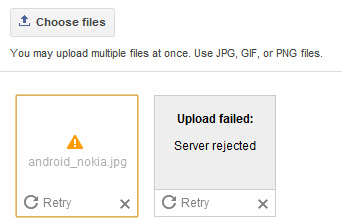
Here's the solution tip/advice to your problem. my photo blog won't upload photos! all images are being rejected by the server. any other solutions?

The problem has nothing to do really with which editor you are using as some forum replies may suggest. That may fix the problem for one or two images but you will be back in the same boat soon unless you deal with an issue at Picasa..

The problem is that the photo album at Picasa where your photos have been getting stored is now full and Picasa, for whatever reason, has not automatically generated a new album. The best thing to do is go to Picasa and manually create a new album then upload a couple pictures to it. After that you should be able to start uploading images again and will be able to until that album is full. Then you repeat the process.
Picasa Uploading Picture � Server rejected, server rejected message.jpg
The worst case scenario is that you have to upload your images to Picasa directly then in the New Editor when you want to upload an image you go to that Picasa album and get the image you just uploaded, but I have not had to do that so far except with the 1st image or two to get the ball rolling.
Share:

Answers: add Pinterest Follow button on WordPress/Blogger/Joomla!

Here's the tutorial on How to add a Pinterest Follow button.

For webmasters, Pinterest now offers pin it button for websites. It will help your readers to pin content just by clicking the button right from your page. So your readers will able to pin your posts and pages to their pinboards without leaving your site. As it is a virtual pinboard exist online, Pinterest will always do crawling for images or videos when someone share a link to their pinboards.

Therefore if your posts or pages contain images or videos, you are ready to be pinned. But if you don't have images or videos on your posts, Pinterest button still allows you to specify external image or video to be shared when users pin your content. But the main problem is, you can't just implement Pin it button on your site.

Pin it button does not crawl implemented page automatically as the Pin it bookmarklet do and you need to configure it individually. So official Pin it button always needs to specify exact URL of post and URL of the image or video on the page. But when it comes to Blogger/WordPress or Joomla, you can't edit each and every page to add Pin it button individually. So you can't make use of official Pin it button in Blogger. Eventhough you are able to edit your pages and configure Pin it button individually, it will a waste of time if you have many number of pages on your site. But here you will find an alternative way to pin your content which derived from Pinterest Pin it bookmarklet. So Blogger users still able to let their readers to pin content from their blogs. However it has no associated button count. Interested? Let's implement it in your blog.
Answers: add Pinterest Follow button on WordPress/Blogger/Joomla

Button code:

Below are a list of available buttons provided by Pinterest on their website.

156x26

<a href="http://pinterest.com/USERNAME/"><img src="http://passets-cdn.pinterest.com/images/follow-on-pinterest-button.png" width="156" height="26" alt="Follow Me on Pinterest" /></a>

78x26

<a href="http://pinterest.com/USERNAME/"><img src="http://passets-cdn.pinterest.com/images/pinterest-button.png" width="78" height="26" alt="Follow Me on Pinterest" /></a>

61x61

<a href="http://pinterest.com/USERNAME/"><img src="http://passets-cdn.pinterest.com/images/big-p-button.png" width="61" height="61" alt="Follow Me on Pinterest" /></a>

16x16

<a href="http://pinterest.com/USERNAME/"><img src="http://passets-cdn.pinterest.com/images/small-p-button.png" width="16" height="16" alt="Follow Me on Pinterest" /></a>

How to add code to website:

Adding to Blogger
Go to Layout (or Design in the old interface).
Click Add A Gadget and select HTML/Javascript gadget.
Copy a code above and paste it inside the content box.
Replace �USERNAME� with your Pinterest username.
Convert Html code here:
Save.

Adding to WordPress
Go to Dashboard > Appearance > Widgets > Available Widgets.
Drag Text widget into a sidebar.
Paste in the code.
Replace �USERNAME� with your Pinterest username.
Convert Html code here:
Save.
Share:

VIDEO � Google Image Search � SEO

Here's informative video, Peter Linsley's presentation on Google Image Search, originally delivered at SMX West in February, 2009.

Watch video here:


Peter Linsley of Google Images shares some simple yet important image optimization tips that might help you get more traffic from image search engines:

1. Users prefer large, high-quality images (high-resolution, in-focus).
2. Users are more likely to click on quality thumbnails in search results. Quality pictures (again, high-res and in-focus) often look better at thumbnail size.
3. Distracting features such as loud watermarks, text over the image, and borders are likely to make the image look cluttered when reduced to thumbnail size.
Share:

Wednesday, March 7, 2012

Monday, March 5, 2012

Sunday, March 4, 2012

Saturday, March 3, 2012

Answers: Add Blogger Sitemap to Google Webmaster

How to Submit Blogger Sitemap to Google Webmasters? Here is video tutorial describes how you can add your blogspot.com blog to Google Webmaster Tools using an XML sitemap.


Add Your Blogspot Blog Sitemap to Google Webmaster Tools

Step 1. Open the Google Webmaster Tools website at google.com/webmasters and click "Add a Site" button to submit your Blogger blogger.

You can either type the web address (URL) of your blogspot.com blog or even a self-hosted blog where you are using the Blogger platform with your personal domain.

Step 2. Google will ask you to verify that you are the owner of this blog. Just copy-paste the meta code to the clipboard and then paste* this information into the template of your Blogspot blog.

*You should switch to the "HTML" version of your blog template and paste the code just below the tag.

Step 3. Go back to Google Webmaster Tools and select "Sitemaps" from the right sidebar. Now click the "Submit a Sitemap" button.

Step 4. Type atom.xml?redirect=false and submit. Once the clock status icon changes to a green tick, your Blogger sitemap has been successfully submitted to Google for indexing.
Share:

Wednesday, February 29, 2012

Saturday, February 25, 2012

Wednesday, February 22, 2012

Google Webinar for your Website � Video

Here's the video of Webinar: Google Trifecta for your Website.

Watch video here:

From Youtube:

Speakers provide introductions to Google Webmaster Tools, Google Analytics, and Google Website Optimizer and answer common questions. Individually, each tool offers valuable and actionable information about specific aspects of your site; combined, you get a comprehensive understanding of both your visitors and your pages.

Share:

Saturday, February 18, 2012

VIDEO: What is placement targeting?

Here's the video of AdSense Optimization: Opt-in to Placement Targeting.

From Google Support:

What is placement targeting?

One of the ways ads are targeted to AdSense publisher websites is through placement targeting. Placement targeting allows AdWords advertisers to choose specific ad placements where they'd like their ads to appear. An ad placement can be an entire website or a specific sub-set of ad units within that site, such as only ad units on a site's sports pages or all ad units at the top of the page.

Advertisers find ad placements in several ways, including by listing websites where they'd like to advertise or by searching for placements that match the themes and topics they'd like to target.

If your site is part of the AdSense network, it should automatically be visible to advertisers as an available ad placement when they search for themes or topics related to the content of your site. You can also define your own ad placements using specific sub-sets of ad units on your site.

Share:

What is Google AdSense Page RPM?

What is RPM and what is its effect on my adsense earning?

Best answer by gddsmith:

It's page revenue per 1000 ad unit impressions. If you go to the Performance report & click the ? mark to the right of the RPM up by the graph it explains it.

When you click RPM on the performance report for the last 7 days it simply rearranges the order. The default of the list to start is by date, when you click RPM it rearranges the list in order of the highest to lowest RPM, click RPM again & it will rearrange it in lowest to highest order.

RPM has no effect on earnings, it's simply a calculation of how much you would earn for 1000 impressions based on the earnings & page views you actually had.

RPM = Actual estimated earnings divided by ad unit impressions received times 1000

Note that if you are viewing ad impressions it gives you the RPM which is based on ad unit impressions/queries, if you are viewing Page Views it gives you Page RPM which is based on the number of page views instead of ad unit impressions. Therefore Page RPM is what was called Page eCPM in the old interface.
Share:

What is Above the fold? � Web Design

Many website mension this name, when topics is about Google Adsense.

From Wekipedia:

Read:

"Above the fold" is a graphic design concept that refers to the location of an important news story or a visually appealing photograph on the upper half of the front page of a newspaper, or in case of webpages, the part of a page that's visible without scrolling. Most papers are delivered and displayed to customers folded up, meaning that only the top half of the front page is visible. Thus, an item that is "above the fold" may be one that the editors feel will entice people to buy the paper.

Alternatively, it reflects a decision, on the part of the editors, that the article is one of the day's most important. By extension, the space above the fold is also preferred by advertisers, since it is the most prominent and visible even when the newspaper is on stands.

The term can be used more generally to refer to anything that is prominently displayed or of highest priority.
This term has been extended and used in web development to refer the portions of a webpage that can be visible without scrolling. However, some have suggested that this term is vague as screen sizes vary greatly between users, especially in an era where websites are viewed with mobile devices as much as home computers.
Share:

What is Google AdSense Coverage?

Becky Sharpe Ask a Quistion: I've noticed this new metric in the new AdSense interface and can't understand what it is meant to represent. For example, today the percentage for Content is 69.64% and the percentage for Search 100%. I've searched to FAQ's but nothing makes much sense to me. Any clarification would be very welcome.


Best answers by Engineer Guillaume: Hi Becky, This is a good question. Unfortunately the documentation is not complete yet, so here is a temporary explanation: Coverage is the percentage of ad unit impressions or queries that showed ads: - A coverage of 100% means that AdSense was always able to provide ads to match the content of the page (Content) or the query keywords (Search). - A coverage of less than 100% means that AdSense was not able to find ads for some ad units or search queries, which didn't show ads as a result. Hope this helps, Guillaume
Share:

Thursday, February 16, 2012

Google AdWords Guide for Success Video


With Google AdWords, it's all about results. Optimization means taking steps to get the results you want by improving the quality and performance of your account � without raising costs. 


We've designed these optimization strategies to help you achieve success with your advertising campaigns.

See our Optimization Center for detailed tips and strategies. Or, for a brief overview, see the tips below.

  1. Identify your advertising goals.
  2. Organize your account for maximum effectiveness.
  3. Choose relevant keywords and placements.
  4. Create straightforward, targeted ads.
  5. Optimize your website for conversions.
  6. Track your account performance.
  7. Test and modify your campaigns to get the results you want.
 1. Identify your advertising goals.
Your optimization strategy depends on the objectives that you define for your campaigns.

With specific goals in mind, you can work strategically to achieve your objectives, track your performance, and make the modifications necessary to get the results you want. Here are some typical objectives and sample focus areas for each goal:

"I want to get more clicks."
Focus on keywords and placements. Increase your ad exposure by adding keywords and site placements to your ad groups.

"I want to increase my clickthrough rate (CTR)."
Focus on ad quality. Attract more clicks by refining your ads, and eliminate extra impressions by choosing highly targeted keywords and placements and using negative keywords.

"I want to improve my return on investment (ROI)."
First, focus on your ads and your keywords and placements to attract the right audience. Then focus on your website. Be sure your landing page and site are set up to let users find what your ad offers.
 2. Organize your account for maximum effectiveness.
A well-structured account is easy to manage and allows you to effectively target your audience.

Organize your campaigns by topic. 
Create separate campaigns for each of your product lines, resources, or brands. This helps you monitor your advertising more easily and make the necessary adjustments to improve your campaign performance. Ask yourself what you want to achieve with each campaign. Then structure your campaign based on this goal. View a diagram and learn more about the structure of your account.

Target the right languages and locations. 
For each campaign, you can choose to target your ads to particular languages and locations (plus choose your budget and other settings). Be sure to target only the languages and locations that are relevant for your business. For example, if you ship your products to locations within a certain distance of your business, target the country, territory, region, or city related to the area, instead of to 'All Countries.'

Create highly specific ad groups.
As with your campaigns, each ad group should center on a single product or service to ensure your ads reach the most qualified users. Build a list of keywords or placements, then separate them into related ad groups. Create ads that pertain directly to that list. For example, if you sell mp3 players, and you've organized your campaigns by brand, create multiple ad groups based on the models of each brand.

Avoid duplicate keywords across ad groups.
Google shows only one ad per advertiser on a particular keyword, so there's no need to include duplicate keywords in different ad groups or campaigns. Identical keywords compete against each other, and the better-performing keyword triggers your ad.

Review example campaigns advertising a single product/service and multiple products/services.
 3. Choose relevant keywords and placements.
The more relevant your keywords and placements are to your goals, the more easily you can reach your potential customers.
Choose your keywords carefully.
Include specific keywords that directly relate to the specific theme of your ad group and landing page. For optimal ad visibility, include relevant keyword variations, along with singular and plural versions. If applicable, consider using colloquial terms, alternate spellings, synonyms, and product or serial numbers. The keyword tool can help generate lists of possible keywords.
Take advantage of keyword matching options.
With some keywords, you'll get more ad impressions; with others, you'll get fewer impressions but potentially more clicks. By strategically using keyword matching options, you can reach the most appropriate prospects, potentially reduce your actual CPC or CPM, and increase your ROI. Use broad match to capture relevant traffic on variations of your keyword, such as longer queries, plurals, synonyms, or different spellings.
Use placement-targeted campaigns.
Placements are locations on the Google Display Network where your ad can appear. With placement-targeting, you can choose individual spots on the Display Network to show your ads (called managed placements) or simply let Google's proven ad targeting display your ads on the website pages most relevant to your products and services (automatic placements). We'll only look at your managed placements when searching for relevant places to display your ads. Unlike automatic placements, keywords aren't required.
When using managed placements, you can do the following to make sure your ads are relevantly targeted to the right content on the right sites:
  • Exclude placements if you don't want your ads to appear on them at all.
  • Manage individual or default bids to adjust how competitive you want to be on certain placements.
  • Add keywords and negative keywords to refine where your ads run.
  • See URL-level details on the placements where your ads appear and quickly make data-driven decisions to improve your ad group's performance.
Choose your placements carefully.
Include websites and other placements that are relevant to your products or services, and be sure to choose enough of them. The more relevant the placements you target, the better the chances your ad will show. We provide four ways to choose placements: you can list URLs, describe topics, browse topics, or select demographics. To create the most effective list, we strongly suggest using all four methods.
When using the Placement Tool to find and select websites, pay attention to the Ad Formats column in the list of available placements. If you run only certain kinds of formats -- for instance, image ads only, or text and video ads only -- make sure you select placements that run the kinds of formats you have to offer.
 4. Create straightforward, targeted ads.
The content of your ads should capture users' attention and set your business apart.

Include keywords in your ad text (for keyword-targeted ads).
Include your keywords in your ad text (especially the title) to show users that your ad relates to their search. If your ad shows when a user searches on a keyword in your ad group, the keyword will appear in bold in your ad text. Also, users tend to search for products and services, so avoid using your company name in the ad title unless your goal is brand/company name recognition.

Create simple, enticing ads. 
What makes your product or service stand out from your competitors? Highlight these key differentiating points in your ad. Be sure to describe any unique features or promotions you offer.

Use a strong call-to-action. 
Your ad should convey a call-to-action along with the benefits of your product or service. A call-to-action encourages users to click on your ad and ensures they understand exactly what you expect them to do when they reach your landing page. Some call-to-action phrases are Buy, Sell, Order, Browse, Sign up, and Get a Quote.

Test multiple ads in each ad group. 
Experiment with different offers and call-to-action phrases to see what's most effective for your advertising goals. Our system automatically rotates ads within an ad group and shows the better-performing ad more often.
 5. Optimize your website for conversions.
Ultimately, your website determines how well your ads convert, so be sure it's designed to let users complete the action you want them to take.
Point users to the right landing page.
Typical internet users decide quickly whether to stay on a website or move on to another. When users click on your ad, they should arrive at a landing page clearly displaying the information or product offered in your ad. If users don't immediately find what prompted them to click on your ad, they're more likely to leave your site without converting.
Evaluate your site design.
Take a close look at your site's overall layout and functionality. Sites that are attractive, easy to navigate, and informative tend to be more profitable. You might consider usingGoogle Analytics to get a better idea of how well your site is working.
Test your way to effective site content.
Rather than just guessing what webpage content will lead to the most conversions, we encourage you to try Website Optimizer. This tool enables you to test different versions of your site content such as text, images, and layout on your landing page or any other webpage. The results will show what's most effective in increasing conversions on your page and boosting your return on investment.
Keep the user experience in mind.
As you design or redesign your landing page and website, make the user experience a high priority. For example:
  • Place important information and images on the top left, where the eye naturally goes first.
  • Help people get what they want in three clicks or fewer.
  • Cut out popups and popunders.
  • Create a simple process for users to complete transactions.
Read our guidelines for landing page and site quality to learn more about providing a quality user experience for your visitors.
 6. Track your account performance.
Monitoring your results allows you to ensure you're getting a good return on your investment.
Check your account statistics.
Your CTR, first page bid estimates, and keyword status are good initial indicators of how well your ads are performing. Your account statistics are reported at the campaign, ad group, and keyword or placement levels. They include clicks, impressions, CTR, average CPC or CPM, cost, average position, conversion rate, and cost-per-conversion. Learn more about evaluating your account performance.
Set up custom alerts.
The easiest way to identify changes in your account is to create custom alerts for the metrics you want to measure. Once you've created an alert and specified the parameters of what you'd like to monitor, we'll automatically notify you when certain behaviors and/or changes occur within your campaigns and ad groups. Learn more about monitoring your account performance.
Create reports.
You can create reports that tell you exactly what statistics you want to know, from the campaign level to the keyword or placement level.
Use web analytics.
Google Analytics helps you analyze what people are doing on your site. This detailed information shows which AdWords keywords are most profitable and what customers are really looking for on your site.
 7. Test and modify your campaigns to get the results you want.
Optimizing your campaigns regularly will help you keep up with users and market trends and ultimately reach your advertising goals. 

Evaluate your campaign performance and make changes as necessary.
Allow your ad performance to educate you about effective strategies for achieving your goals. As you observe your ads over time, you might notice things that are working especially well (or not so well). For example, if you find users aren't responding to a particular call-to-action in your ad text, delete that ad and try something else. Learn how to edit your account settings.

Try different bidding options.
If your campaign is eligible for the Conversion Optimizer, this feature can help you increase your conversions and decrease your cost-per-acquisition.
Share: