Sunday, October 7, 2012

How to Resize Blogger Wrapper Width

Here' the tips on how to change Blogger Blog Width.

Before you do this please take a backup of your Blogger Template.

To adjust the width size of your blog according to your preference, you can do so at the HTML section:


#header-wrapper {
width: 750px;
}

#outer-wrapper {
width: 750px;
}

#main-wrapper {
width: 490px;
}

#sidebar-wrapper {
width: 230px;
}

Header-wrapper and outer-wrapper determines the maximum width of your blogger template.

Main-wrapper determines the width of your blog content and sidebar-wrapper determines the width of your sidebar.

Have a look at the image below:

How to Resize Blogger Wrapper Width

Make sure that the total pixel (px) allocation for the main-wrapper and sidebar-wrapper is not more than the outer-wrapper's size.
Share:

Friday, October 5, 2012

Thursday, October 4, 2012

Facebook Hits 1 Billion Active Users

Facebook has officially reached one billion active users, and unveils new "Facebook Commercial Video."

In an official blog post, he writes:

This morning, there are more than one billion people using Facebook actively each month. If you�re reading this: thank you for giving me and my little team the honor of serving you.

Helping a billion people connect is amazing, humbling and by far the thing I am most proud of in my life. I am committed to working every day to make Facebook better for you, and hopefully together one day we will be able to connect the rest of the world too.

Facebook Hits 1 Billion Active Users
Share:

Monday, October 1, 2012

How to: Rounded Picture Post for Website or Blogger

Here's the tutorial on how to make rounded for picture post in Blogger Platform. Add Rounded corners to your photos,Images.

See the image below: The demo

If you're using the old Blogger interface: Go to Dashboard - Design - Edit HTML - Back Up (Download Full Template) -

If you're using the new Blogger interface: Go to Dashboard - Template - Backup/Restore - Download Full Template - Close - Edit HTML - Proceed -

Find for /* Posts ----------------------------------------------- */ - paste the following code directly below this line:

.post img, .post a img {
-moz-border-radius: 10px !important;
-webkit-border-radius: 10px !important;
-goog-ms-border-radius: 10px !important;
border-radius: 10px !important;
}
boaz 2012
Share:

Wednesday, September 26, 2012

Saturday, September 22, 2012

Sweet Pick Up Lines Tagalog

Here�s sweet pick up lines for your boyfriend and girlfriend tagalog.

Please leave your comment to make a best of the best Chane of Sweet Pick Up.

Just post your comment maybe its Romantic Pick Lines, Funny, Cute, cheesy, cheesy lines, funny quotes, funny tagalog lines, jokes, love lines, love quotes tagalog.. just post..

here some example of pure Tagalog pick up lines...

Wala akong bisyo� pero ng makilala kita di lang ako nag ka bisyo na adik pa ako�
Na adik ako sayo�

Pwede bang tumingin ka sakin kapag naka tingin ako sayo�
Para may pagtingin tayo sa isa�t isa�

Handa akong takbuhin ang mundo�
Basta ang finish line sa puso mo�

Mag impake kana punta tayo sa home for the aged kasi�
I wanna grow old with you�

Naka lunok ka ban g kwitis?
Pag ngumiti ka kasi may spark�

Pwede ba kitang abutin???
Pangarap kasi kita eh�.

Minamalat na naman ang puso ko..

*** paano kasi, laging sinisigaw ang pangalan mo..

Ikaw ba may-ari ng Crayola??
*** ikaw kasi nagbibigay ng kulay sa buhay ko..

Uy papicture tayo!!
*** para ma-develop tayo!!

Kung ikaw ay bola at ako ang player, mashushoot ba kita??
*** hinde, para lagi kita mamimiss..

Can i take your picture??
*** coz i want to show Santa exactly what i want for Christmas!!

Exam ka ba??
*** gustong gusto na kasi kitang i-take home eh!!
Share:

Tuesday, September 18, 2012

How to: Change Highlights colors of Default Blogger/WordPress or Website

Here's on how change the collor of Default (#3297fd) Blogger/WordPress/Joomla or Website.

Another way to impressed readers of your website is to have a customized blog Text Highlighting color, (I just search this on Bing website ..hehe). This can ensure that when users highlight text on your blog, it matches your blog�s theme, and may also look professional at the same time.

Check out the output here:

Note: Before you do a changes on your template, Take time and relax. Just Back Up Your Template!
How to: Change highlights colors of Default Blogger/WordPress or Website

Styling Text Highlight color In Blogger

1. Go To Blogger > Design > Edit HTML

2. and search for ]]>

3. Right above it, paste this code:

::-moz-selection {
Background:
#cb78a5;
color: #FFFFFF;
text-shadow: none;

}
::selection {
background:
#cb78a5;
color: #FFFFFF;
text-shadow: none;

}


Guys were' done

Tips:
Replace #cb78a5 with the highlight color
Replace #FFFFFF with the Font color. By default the font color appears white.

Related: Amazing Post Title Only in Blogger Platform
Share:

Sunday, September 16, 2012

How To: Change Border and Shadow from Blogger Dynamic View Images

Remove Border and Shadow from Blogger Dynamic View Images.

How to Remove, here's the simple instruction. I would to thanks Yogo for this hack.

Before you change the Blogger template please take a time to back up first.

The output of Dynamic view

If you're using the old Blogger interface: Go to Dashboard - Design - Template Designer - Advanced - Add CSS - paste the following code - Press enter after the last character of the last line } - Apply to Blog.

If you're using the new Blogger interface: Go to Dashboard ('House' symbol) - Template - Customize - Advanced - Add CSS - paste the following code - Press enter after the last character of the last line } - Apply to Blog.

.entry-content img{
box-shadow: none !important;
padding: 0px !important;
border: 0px !important;
}
Share:

Saturday, September 15, 2012

Change maximum number of posts Blogger Label List

Here' the tricks on how to change maximum number of posts blogger list label.

If you have a 1k post on a specific Label ex. (How To) in blogger, if you view 1k in one page the number of post that appear is only 25 if you have a time try to count (that is the deffault in old blogger.)

Lets start this.
Note before you do some changes on your blogger template, first do a back up.

Now you got to open the template editor (Dashboard > Template > Edit HTML). Tick [ ] Expand Widget Templates

Now use ctrl+F to help you find the following codes:

expr:href='data:label.url'                                            

Replace the above with the following (I used the number 150 because I want all posts to be displayed in the label page. You may use other numbers in place of 150):

expr:href='data:label.url + "?max-results=160"'           

Repeat this for all instances of expr:href='data:label.url' that you can find. I think for the Simple template, there will be 2 instances, so the above will have to be repeated 2 times. On Old blog the got 3 so you could repeat into 3 times.

Finally job will done, save it.

How to Attract Advertisers to your Site with your Google Adsense.
Share:

Thursday, September 13, 2012

Fanna Movie Shayari

Tere Dile mein meri saanson ko panah mil jaaye Tere Ishq mein meri Jaan Fanaa Ho jaayeā.

E Khuda Aaj Ye Faisla Karde,
Use Mera ya Mujhe Uska Karde.
Bahut Dukh Sahe He Maine,
Koi Khusi Ab Toh Muqadar Karde.
Bahot Muskil Lagta Hai Usse Duur Rehna,
Judai Ke Safar Ko Kum Karde.
Jitna Duur Chale Gaye Woh Mujhse,
Use Utna Kareeb Karde.
Nahi Likha Agar Nasib Me Uska Naam,
To Khatam Kar Ye Zindagi aur Mujhe FANAA Karde.


Ankhen to pyar me dilki zuban hoti hai,
sachi chahat to sada bezuban hoti hai,
pyar mai dard bhi mile to kya gabrana,
suna hai dard se chahat aur jawan hoti hai....

And More Shayari Related to This movie See Here Fanna Shayari
Share:

Wednesday, September 12, 2012

Kitni Mushkil Se Kati Kal Ki Meri Raat Na Pooch...

Kitni Mushkil Se Kati Kal Ki Meri Raat Na Pooch,
Dil Se Nikli Hui Honthon Mein Dabi Baat Na Pooch,
Main JisKe Waste Lad Jaoon Is Khudai Se,
Mujhe Khud Se Hai Pyari Yeh KisKi Zaat Na Pooch,
Wo Kis Ada Se Mere Samne Se Ghuzri Hai Abhi,
Kis Tarha Maine Sambhale Mere Jazbat Na Pooch,
Waqt Jo Badla To Insan Badal Jaata Hai,
Kya Nahi Dikhlate Yeh Gardish-E-Halat Na Pooch,
Woh KisKi Ho Bhi Gayi or Mujhe Khabar Na Hui,
Kis Tarha UsNe Chhudaya Hai MujhSe Haath Na Pooch,
Is Tarha Pal Mein Mujhe Begana Kar Diya UsNe,
Kis Tarha Apno Se Khai Hai Maine Maat Na Pooch,
Ab Tera Pyar Nahi Hai Tu Sanam Kuch Bhi Nahi,
Kitni Mushkil Se Bani Thi Dil Ki Kainat Na Pooch..!!!
Share:

Tuesday, August 28, 2012

How to: fix �blank ads� Google AdSense

How to fix Rejected ad requests or �blank ads �Google AdSense.  This problem happens one of my blogs/website. If this happen to your blogs with a thousand of post big money will losses to your website a day.

How to fix rejected ad request errors

When you see rejected ad request errors, it means your ad unit is crawling and targeting the wrong URL. This occurs when our URL detection has determined our ad unit is within an iframe, and has no content. This results in lower relevancy for your ads and lower revenue as we do not know the actual content of your page. When we are not able to determine the correct site information for an ad request, we serve �blank ads� that blend into the background of your pages.

According to support.google.com/adsense Reasons why you see rejected ad request errors:

Here are some possible reasons you're seeing these errors:
This occurs when the URL of the server from which the ad unit has been served differs from the URL of the actual page where the ad will be displayed.
Your ad code is nested within multiple iframes.
If your ad code is nested within multiple iframes, we are not able to determine the correct site information for an ad request.
You�re using a Supply-Side Platform (SSP).
If you make use of a Supply-Side Platform (ad servers, yield managers, etc.) for ad optimization and you're receiving rejected ad request errors with their URLs, please contact the Supply-Side Platform to determine the best way to ensure that the correct site information is passed in your ad requests.

Ways to fix rejected ad request errors

The method for fixing targeting depends on the domain that triggers the ad request error. In general, to fix these errors in AdSense and Ad Exchange, you will need to pass to AdSense and Ad Exchange, the URL of the actual page where your ad unit is located in the ad request.
If using DoubleClick for Publishers, please look into the following solutions:
  • If using DART, you can pass the correct URL using the dc_ref parameter in conjunction with the google_page_url parameter in AdSense and Ad Exchange. For more information, access the DART for Publishers Help Center .
  • If using Google Ad Manager, you can pass the correct URL by adding the following syntax to your DFP ad call:
GA_googleAddAdSensePageAttr("google_page_url", "URL");
  • If using Google Publisher Tags, you can pass the correct URL by adding the following syntax to your DFP ad call:
googletag.pubads().set("page_url", "URL");
  • If you have a mobile app, and are running AdSense and/or Ad Exchange web tags, you�ll need to switch those tags for the AdMob SDK.
If you have tag.admeld.com errors within your report, please contact your Admeld representative and ask for JavaScript tags as opposed to iFrame tags. This will remove the nesting iframe effect and should improve the targeting.
For all other domains, you will need to use google_page_url to target the correct URL.

Typical ad code:
<script type="text/javascript">
google_ad_client = "ca-pub-XXXXXXXXXXXX";
/* 728x90, creado 14/04/08 */
google_ad_slot = "XXXXXXXXXXXX";
google_ad_width = 728;
google_ad_height = 90;
</script>
<script type="text/javascript"
src="//pagead2.googlesyndication.com/pagead/show_ads.js">
</script>
Ad code with google_page_url added:
<script type="text/javascript">
google_ad_client = "ca-pub-XXXXXXXXXXXX";
/* 728x90, creado 14/04/08 */
google_ad_slot = "XXXXXXXXXXXX";
google_ad_width = 728;
google_ad_height = 90;
google_page_url = "http://myurl.com/fullpath";
</script>
<script type="text/javascript"
src="//pagead2.googlesyndication.com/pagead/show_ads.js">
</script>
Share:

Monday, August 27, 2012

How to: Align Center Post-Title for Blogger Blogspot

Here's the tutorial on how to align the Post title in Blogger Blogspot template. Actually the Post title by default in Blogspot template is align in the left side.

Now you can place(Center or Right) by making/adding few changes in your blogger's HTML source code.

Step 1. First Sign-in to your Blogger click on Design under the Design Tab you will see Edit HTML click on it see below. befor you do this take a time to back-up your Blogspot template.

How to Align Center Post Title for Blogger Blogspot

Step 2: Find the Below Code ( By preshing Ctrl+F ) Put the code inside the serch box than Enter.

header {


Step 3: Under the header { find the code h1 { by moving your mouse cursor a little down and find h1 { see below.

Step 4: Now just add the below code under the h1 { code.

text-align: center;

Final: It will look like see below.

h1 {
text-align: center;
padding:25px 0px 10px 5%;
color:$pagetitlecolor;
background:$pagetitlebgcolor;
font:$pagetitlefont;
letter-spacing:-2px;

See demo here:

Tips:- If yuo want to take blog header title in right side just change in the code like.

For right side code: text-align: right;

For Left side code: text-align: left; (or remove the code)

For Center code: text-align: center;
Share:

Google's 'I'm feeling lucky' Spinning emotion

Google Search today got a new Spinning emotion, When you hover over the I'm Feeling Lucky button. Try it now.

From Google+:

Yesterday, we asked you how you're feeling and by far, the most popular answer was "hungry"! What does this have to do with Google Search, you ask? We recently added some other emotions to our I'm Feeling Lucky button, like artistic, wonderful, and of course, hungry. When you hover over the I'm Feeling Lucky button, it spins to an emotion and clicking on it connects you to a page that reflects that emotion. For instance, I'm Feeling Hungry leads you to a Google results page for restaurants in your area. Bon appetit!

 Google's 'I'm feeling lucky' Spins to an emotion
Share:

Sunday, August 26, 2012

Neil Alden Armstrong dies, age 82

Neil Alden Armstrong, the first man on the moon, has died. He was 82.

He died at 2:45 p.m. Saturday after complications following cardiac bypass surgery. RIP.

The report:


Neil Alden Armstrong dies, age 82
Image by creativeplanetnetwork.com
Share:

Thursday, August 23, 2012

How to: Add Attribute Title In Blogger Post Title

Here's on how to add Link Title In Blogger Post Title. I found this on the wordpress template blogs and why not apply on bloggers.

Here a few steps to apply the link title in blogger post title.

Befor you do this take a time to backup your template.

First Step

Find the code as below:
<a expr:href='data:post.link'><data:post.title/></a>

Remove the code and add with this code:
<a expr:href='data:post.link' expr:title='data:post.title'><data:post.title/></a>

Second Step
Find the code as below:
<a expr:href='data:post.url'><data:post.title/></a>

Remove the code and add with this code:
<a expr:href='data:post.url' expr:title='data:post.title'><data:post.title/></a>

Finally you got it

Click SAVE TEMPLATE.

How to: Add Attribute Title In Blogger Post Title, one-direction-im-yours

What say about this??
Share:

Tuesday, August 21, 2012

How long does it take for Google Adsense to review my application?

How long does it take for Google Adsense to review my application?

In some countries your site must be active for at least 6 months when you apply.

However, the actual review should be completed within a week after you put ads on your site.

Are you sure you have implemented the ad code correctly?

Update: Friday i received this from Google AdSense team:

REMOVAL OF GOOGLE BRANDING: As stated in our program policies, AdSense publishers are not permitted to modify the AdSense for search code in any manner, including removing the Google branding from the search box.

Action required: Check account for compliance

When i receive this message i am in the office! the thing is i cannot open the dashboard of my blog, my boss is in my side watching and advicing our projects for submission of cad-words, pdf and microstation. After eight hours of works, i rush to go home early, but when i am on the way going home heavy traffic shack me... o my gush...

After four hours of traffic finally i eat and watch the tv (i am so happy) its checking time!!!!

Two hours of cleaning of my blog.

Wednesday i receive the email from Google AdSense Team,

Hello,

Thank you for making the requested changes to your site in order to comply with our policies. After thoroughly reviewing lyricspinas.blogspot.com, we have now re-enabled ad serving to this site.

Because ad serving to your site was temporarily disabled, you many notice a delay of up to 48 hours or more before ads begin appearing on your site again. We appreciate your patience and cooperation.

Sincerely,

The Google AdSense Team


Your Welcome Google AdSense Team!!!
Share:

Monday, August 20, 2012

500 - Controller CommunityPlusController not found! (Photo)

Here's the message that appears on the Error.

You may not be able to visit this page because of:

1. an out-of-date bookmark/favourite
2. a search engine that has an out-of-date listing for this site
3. a mistyped address
4. you have no access to this page
5. The requested resource was not found.
6. An error has occurred while processing your request.

Please try one of the following pages:

If difficulties persist, please contact the System Administrator of this site and report the error below.
500 - Controller CommunityPlusController not found! Photo, http://810g.com/plus/113490943177806835534
Share:

Saturday, August 18, 2012

How to: Uninstall (complete) Mystart by Incredibar Toolbar

Here's some posible ways to remove (uninstall) the Incredibar Toolbar. MyStart is an adware program.

This tool was probably installed during installation of font that i download as additional recommended software (but still must be possible to reject it).

Would recommend to reset Internet Explorer settings and disable all unneeded add-ons (related with MyStart tool).

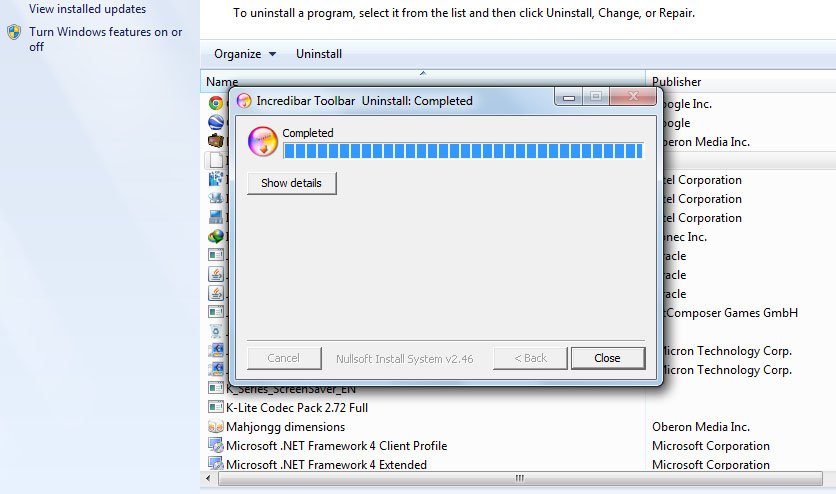
How to: Uninstall (complete) Incredibar Toolbar, Incredibar Toolbar Uninstall Completed

Remove MyStart in Internet Explorer:
1. Open Internet Explorer.
2. Go to Tools > Options.
3. On General tab, proceed to �Change search defaults� and click the �Settings� button.
4. You will see a list of search providers. Select your desired search provider and click the button �Set as default� to replace MyStart by Incredibar.
5. You may now remove searchnu.com from the list.

Remove MyStart in Mozilla Firefox:
1. Open Mozilla Firefox Internet Browser.
2. On Google�s Search box, click the �arrow down� beside the logo.
3. Select �Manage Search Engine� from the drop-down list.
4. Choose your desired search default (like Google) and click the button �Move up.� It should be on the top of the list to set it as default.
5. You can now remove other installed search engine.

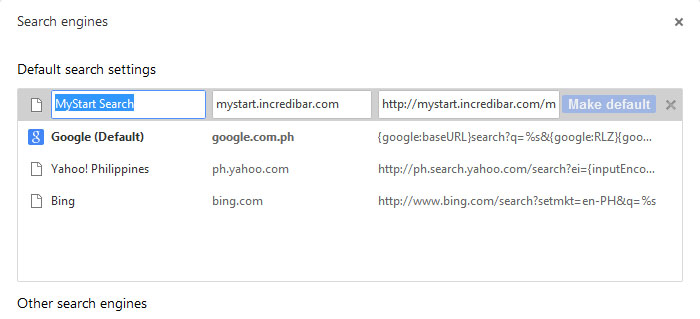
mystasrt search.jpg
Remove MyStart in Google Chrome:
1. Open Google Chrome.
2. Click on the Wrench icon on top right corner of the browser.
3. Choose �Settings� from the drop down list.
4. Select �Basics.�
5. Click on �Manage search engines� under SEARCH settings area.
6. Hover your mouse to a preferred search engine and click �Make default.�
7. You can go on Search Engine and remove MyStart by Incredibar search by clicking on the X mark.
8. Final go extensions and choose the Delete Logoe (Remove from Chrome.)
Share:

Google+ncr

http://www.google.com/ncr

Whenever you are accessing the internet, you want to search something on Google�right? I never show people typing www.google.co.ph in their web browser. We all type www.google.com but automatically redirect to www.google.co.ph because local google domain for Philippines is google.co.ph.

If you type in your web browser www.google.com/ncr it will direct and take you to google.com. NCR stand for �No Country Redirect�.

Instead of typing manually in the browser, you can set it from your Home Page, to do that, click on Tools in the menu bar, click on Options, click on General, in Home Page type http://www.google.com/ncr and then click Ok button.
Share:

Thursday, August 16, 2012

Which Improve Search Engine Ranking Google

Here's the ways to improve your website or blog to Search Engine Ranking Google.

1. Get listed in more search engines: There are tons of them out there. There are also many free services that will help you get listed. Or just set aside some time to get it done yourself. Here is a free search engine submission site that will let you cycle through the top 100 search engines and get your site submitted.

2. Get listed in more directories: Again, there are a lot of them out there. Look for higher pagerank directories. Improvingrank.com has some listed by pagerank. Look on the left side of the homepage.

3. Clean up your html and check your links: You want the bots to have smooth sailing through your site. Use the tools on W3c.org and have a real person check them over too.

4. Get a few more links to your site: Make them relevant and at least the same pagerank as you.

5. Check your Title tags: You can use 90 � 100 characters in the title, so add some keywords. We know Google looks at them, and so do many more search engines.

6. Check your ALT tags: Searchbots can�t see pictures. Make sure you have ALT tags on all of your pictures, and make sure they are descriptive and keyword rich.

7. Go post in a few forums and put your website in your signature: Forums are a great place to put one way links. And you can help somebody out at the same time.

8. Put together a text based sitemap and put it on your site: There�s a lot of navigation that spiders can�t understand, such as flash, forms, java and javascript. Putting together a text-based sitemap gives the bots a way to navigate around the site.
Share:

Characters Cannot be Used in Labels

Here's the characters that cannot be used in Blogger labels.

Labels are a way to easily categorize your posts. When you're writing a post, click Labels on the side and enter the labels you like, separating them with commas. Labels you've used before will show up below, and you can just click them to add them to the post.

When you publish your post, the labels will be listed with it. Clicking any of the labels will take you to a page containing only posts with that label.

Characters Cannot be Used in Labels
The following characters cannot be used in labels: &<>@!,
Share:

Wednesday, August 15, 2012

Facebook Your account is temporarily Locked - Photo

Why this message appeared on my Facebook Account? "Facebook Your account is temporarily Locked." How To Open?

We don't recognize the device you're using. Please answer a few securtiy question to keep your account safe.

Facebook Your account is temporarily Locked.jpg, https://www.facebook.com/checkpoint/
Reason:

A) May be Facebook making an improvement in the database and the account get "Locked" are stored on. During this time,it may not be able to gain access to the account. It may last for an hours. If this doesn't work, try submitting Facebook form.

B) May be Facebook has detected suspicious activity and has temporarily suspended due to security precaution.

C) Randomly adding large number of friends and sending continuously message to your friend list. Due to which unknown friend has detected as a spam or reported abuse. If in a bulk large number of people report abuse or spam then it may also get locked temporarily.

D) May be randomly using different devices to open a Facebook account.
Share:

Tuesday, August 14, 2012

Google Logos - 2012 Julia Child

Google Homage today commemorate for Julia Child 100th Birthday. I love to eat, but not more on cooking.

She is recognized for introducing French cuisine to the American public with her debut cookbook, Mastering the Art of French Cooking, and her subsequent television programs, the most notable of which was The French Chef, which premiered in 1963.
Google Logos - 2012 Julia Child.jpg, logos julia child
Share:

Saturday, August 11, 2012

How To: Embed Wiki Audio

Inserting external images, audio files, video files, etc., is not possible on Wikipedia. All images and audio must be uploaded to Wikipedia, where it is subject to deletion (if necessary). Videos, however, are not uploadable nor embeddable.

As was said, the closest you'll come is creating a link to the video. But it'll probably be removed if it's irrelevant or just plain silly.

The "insert HTML code" button in the wiki toolbar enables you to insert any type of HTML code, which is particularly useful for directly embedding content from youtube, prezi, google maps, and numerous other websites.
Share:

Google Logos - 2012 Closing

Here's the 17th Doodle �London 2012 Closing Ceremony� for the London 2012 Olympic Games. Get ready for a star-studded musical send-off.

The Closing ceremonies of the London 2012 Summer Olympics will be on 12 August in the Olympic Stadium. The worldwide broadcast will get under way at 21:00 BST (UTC+01) and aim to finish by 23:45. There will be an estimated global audience of 750 million.

The ceremony will include a handover to the next host city for the 2016 Summer Olympics, Rio de Janeiro.

Read more on Official website london2012.com/

Google Logos - 2012 Closing Ceremony.jpg, logos 2012 closing ceremonies, google olympics logo 2012

Google Logos - 2012 Slalom Canoe
Google Doodle - 2012 Hurdles
Google Logos - 2012 Basketball
Share:

Friday, August 10, 2012

Google Logos - 2012 Gymnastics

Here's the 16th Doodle �London 2012 Rhythmic Gymnastics� for the London 2012 Olympic Games. After the 4th animated doodle, Google Homepage page back to static doodle.

One of just two women-only disciplines in the Olympic Games, Rhythmic Gymnastics is a combination of gymnastics and dance.

Venue:

North Greenwich Arena: Located on the Greenwich peninsula on the banks of the River Thames

London 2012 Closing Ceremony

Google Logos - 2012 Gymnastics.jpg, logos 2012 rhythmic gymnastics, london 2012 google logos

Want to play doodles:

Google Logos - 2012 Slalom Canoe
Google Doodle - 2012 Hurdles
Google Logos - 2012 Basketball
Share:

Thursday, August 9, 2012

Google Logos - 2012 Football

Here's the 4th animated London 2012 doodle. I love to play with this doodle but I only get a 2 star.

The Slalom Canoe Doodle is the fourteenth and Football is the fifteenth doodle posted by Google during the ongoing London 2012 Olympics.

London 2012 Closing Ceremony

Google Logos - London 2012 football.jpg, logos 2012 football, Olympic Games

Try also to play:

Google Logos - 2012 Slalom Canoe
Google Doodle - 2012 Hurdles
Google Logos - 2012 Basketball
Share:

Wednesday, August 8, 2012

Google Logos - 2012 Slalom Canoe

Here's the 3rd animated Doodle for the London 2012 Olympic Games the "Slalom Canoe."

I love playing whitewater Canoe Slalom �more click - more clik,� The result I got 30.2 second with a one star score same on the Google Logos - 2012 Basketball.

Play it here and beat my score.

Google Logos - 2012 Slalom Canoe.jpg, logos 2012 slalom canoe, Olympic Games

This is my score, I Got a 1 star:
Google Doodle Slalom Canoe Score.jpg, google doole


Try also to play:

London 2012 Closing Ceremony
Google Logos - 2012 Football
Google Doodle - 2012 Hurdles
Google Logos - 2012 Basketball
Share:

Facebook Page - 5 Category Owners and new Roles

Here's the Facebook Page Owners: 5 New Admin Roles now available on Facebook!!

Learn now about the NEW admin roles:

Role: Manager
Managers can manage admin roles, send messages and create posts as the Page, create ads, and view insights.

Role: Content Creator
Content Creators can edit the Page, send messages and create posts as the Page, create ads, and view insights.

Role: Moderator
Moderators can respond to and delete comments on the Page, send messages as the Page, create ads, and view insights.

Role: Advertiser
Advertisers can create ads and view insights.

Role: Insights Analyst
Insights Analysts can view insights.
This is great news because finally you wont have to worry about someone from an agency deleting your Page. Make sure you change the rights accordingly!
Share:

Tuesday, August 7, 2012

Great Britain wins Gold Medal for Dressage Team

The host team was looking for more Equestrian gold in the Dressage Team Final at the London 2012 Olympics.

Here are your medal results:

Results:

Gold: Great Britain

Silver: Germany

Bronze: Netherlands
Great Britain wins Gold Medal for Dressage Team.jpg, Olympic Games
L-R: Britain's Carl Hester, Laura Bechtolsheimer and Charlotte Dujardin celebrate after taking gold i (AFP, John MacDougall)
Share:

Google Logos - 2012 Basketball

Finally this is one of my favorite Doodle for the London 2012 Olympic Games the "Basketball."

I am so happy that i can dribble and score in this 13th Google Doodle.

Please try to play basketball right here:

London 2012 Closing Ceremony

Google Logos - 2012 Basketball.jpg, logos 2012 basketball, Olympic Games

This is my score, I Got a 1 star:
London 2012 basketball Google doodle one star.jpg

Try also to play:
Google Doodle - 2012 Hurdles
Google Logos - 2012 Slalom Canoe
Share:

Monday, August 6, 2012

London 2012 Olympics Fonts - Free Download

Here's the free download font of the �The 2012 Summer Olympic Games, officially the Games of the XXX Olympiad.� Finally i installed this in my Adobe Photoshop CS6.

Olympics Fonts available as free downloads its work both Macintosh and Microsoft Office.

Special hundred thanks to Author: Smuggle Sisters

License Free, with (13 Kb).

London 2012 Olympics Fonts - Free Download, Olympic Games, Free Fonts

Font name: London Olymppics 2012
Version: Macromedia Fontographer 4.1.5/21/11
OpenType Layout, TrueType Outlines
Here's the Link.
Share:

Google Logos - 2012 Hurdles

Here's 12th edition of Doodle for the London Olympic Games, I cannot score this is the most fun Olympic doodle ever. Check out my score below:

Google London 2012 hurdles doodle shows a 110 metres men's race with 10 hurdles. The World Record in the event is 12.87 seconds and the Olympics Record stands at 12.91 seconds. In the little time we played with the doodle we could easily shatter the records.

Google Logos - 2012 Hurdles.jpg, logos 2012 hurdles, Olympic Games

What can you say about my score??
wwwgooglecomdoodleshurdles 2012 results.jpg

Play Google London 2012 hurdles doodle


Try to play also:

Google Logos - 14th Birthday 2012
London 2012 Closing Ceremony
Google Logos - 2012 Football
London 2012 basketball
Google Logos - 2012 Slalom Canoe
Share:

Sunday, August 5, 2012

Google Logos - 2012 Javelin

The Google Logos - 2012 Swimming is the 10th Google Doodle.

Today London 2012 javelin is the 11th Google doodle with a purple color.

The javelin throw is a track and field athletics throwing event where the object to be thrown is the javelin, a spear approximately 2.5 m (8 ft 2 in) in length. Javelin is an event of both the men's decathlon and the women's heptathlon.

London 2012 Closing Ceremony

Google Logos - 2012 Swimming, logos 2012 javelin, Olympic Games

Do you wan't to Play London 2012 Olympics Doodle?

Google Logos - 2012 Hurdles
Google Logos - 2012 Basketball
Share:

Google Logos - 2012 Swimming

Today Google Doodle is London 2012 synchronized swimming. I am a good swimmer but just for a survival.

List of Olympic medalists in synchronized swimming

Here's the Nation Rank with a Gold Medal:
1   Russia (RUS)  6  Gold Medal
2   United States (USA)  5   Gold Medal
3  Canada (CAN)  3   Gold Medal

News for London 2012 synchronized swimming

Google Logos - 2012 Swimming, logos 2012 swimming
Share:

How to Hide �ads by nuffnang� Logo

Hello googler.. our topic today is about �ads by nuffnang footer sigature (How to remove, How to delete.) I am, giving you a simple tricks to remove the logo.

Personally, the logo looks ugly, that's a NuffNang signature, adding thier logo can have a more space.

Here's the simple code.

in a blogger template Option One

/* Remove Nuffnang footer*/
#nnadsfoot img {display: none;}

Post the code above anywhere in your style.css or <style type='text/css'> (your default theme) and you�re good to go!

in blogger and wordpress template Option Two

Find first this code:
</b:skin>

Then paste this code:
#nnadsfoot img {display: none;}

Before </b:skin.>
#nnadsfoot img {display: none;}
</b:skin>

I�ve read the entire TOS, but couldn�t find anything that will get me sued for the above code.

ads by nuffnang, How to Hide NuffNang Footer Logo, 728x60 Leaderboard

Check out the ouput here:

Update:

Apparently the guys at NuffNang are working hard to combat this grey act. They modified their codes to keep displaying their logo, so did I, to prevent the logo from appearing.

Finally were done.
Share:

Saturday, July 28, 2012

Google AdSense Above the Fold � What does it mean?

Moving ads higher up on a page is a simple yet effective change that can have a big impact on your ad revenue. The area that's immediately visible when a page is loaded without scrolling down is known as "above the fold."

The term comes from the newspaper industry where there's a physical fold in the paper itself. With newspapers, the stories and headlines above this fold receive more attention, and are therefore deemed more important, than things below the fold. The same concept holds true for websites-- ads above the fold are much more likely to be noticed and remembered.

By moving ad units buried at the bottom of your site to a more prominent location above the fold, you'll generally see an increase in performance. On average, above the fold units tend to outperform below the fold units. We've found that the eCPM for above the fold units is approximately 80% higher than below the fold units. You'll get the best results by having more ad units above the fold.

Above the fold? � Web Design
Share:

Wednesday, July 11, 2012

Kabhi kehti thi mujhe ke

kabhi kehti thi mujhe ke koi duaa hoon mai aaj wo keh gai mujhko ki bewafa hoon mai..
wo jee na paati thi lamha kabhi bagair mere aaj kehne lagi mujhko ki ek sazaa hoon mai..
yahi dastoor hai aur aisa hi hota aaya lagi maashuq ke mehndi aur aashiq rota aaya..
magar riwaaz bhi ye ulta kar diya maine bina chaahat kisi ki maang bhar diya maine..
kiya hai jo bhi ispe khud se hi khafa hoon main aaj wo keh gai mujhko ki bewafa hoon mai..


Kaun kehta he uske bina main mar jaunga,
Dariya hu sagar mei utar jaunga,
Wo taras jayegi pyar ki ek boond ke liye,
Main to badal hu kisi aur pe baras jaunga.
Share:

Friday, July 6, 2012

RPC failed 32700 Invalid JSON

Today i was editing one of my bloggers template and this Error message upper on the lower position. What is the meaning of this pop up message "RPC failed 32700 Invalid JSON."

Have a look at the screenshot picture below.

JSON-RPC is a remote procedure call protocol encoded in JSON. It is a very simple protocol (and very similar to XML-RPC), defining only a handful of data types and commands. JSON-RPC allows for notifications (info sent to the server that doesn't require a response) and for multiple calls to be sent to the server which may be answered out of order.

RPC failed 32700 Invalid JSON
Share:

Tuesday, July 3, 2012

Google Chrome has stopped working July 03, 2012

Here's the message that pops up on my laptop screen.

Goggle Chrome has stopped working. A problem caused the program to stop working correctly. Windows will close the program and notify you if a solution is available.

The below message can be seen on Mozila Firefox browser when i was sign in blogger.

Your browser is no longer supported by Blogger. Some parts of Blogger will not work and you may experience problems.
If you are having problems, try Google Chrome. | Dismiss
Share:

Friday, June 29, 2012

How to Remove Blog Title From Post Title?

Here's the toturial on how to remove Blog Title on Blogger.

When search engines are trying to index your site they give you extra brownie points by what is written in the title. So if someone was searching for "brown puppies" and your title or your post was "brown puppies", then this would make your post seem more relevant than a post titled "big cars". Now the problem is if your blog title was "Favorite Stuff" then your post on brown puppies would read "Favorite Stuff: Brown Puppies" to the search engines.

Obviously this is degrading the value of the title by keeping the blog title in place. So, we want to get rid of it. How do we do it?


1. Log into the Dashboard and select the appropriate blog.


2. Goto Layout


3. Edit HTML


4. You should backup your template although there should not be a problem.

Continue Reading....
Share:

Wednesday, June 27, 2012

What is cloaking? Video Explanation

What the meaning of Cloaking Watch video here for explanation.

Cloaking
Cloaking refers to the practice of presenting different content or URLs to users and search engines. Serving up different results based on user-agent may cause your site to be perceived as deceptive and removed from the Google index.

Some examples of cloaking include:
  • Serving a page of HTML text to search engines, while showing a page of images or Flash to users.
  • Serving different content to search engines than to users.
If your site contains elements that aren't crawlable by search engines (such as rich media files other than Flash, JavaScript, or images), you shouldn't provide cloaked content to search engines. Rather, you should consider visitors to your site who are unable to view these elements as well. For instance:
  • Provide alt text that describes images for visitors with screen readers or images turned off in their browsers.
  • Provide the textual contents of JavaScript in a noscript tag.

Doorway pages
Doorway pages are typically large sets of poor-quality pages where each page is optimized for a specific keyword or phrase. In many cases, doorway pages are written to rank for a particular phrase and then funnel users to a single destination.

Whether deployed across many domains or established within one domain, doorway pages tend to frustrate users, and are in violation of our Webmaster Guidelines.

Google's aim is to give our users the most valuable and relevant search results. Therefore, we frown on practices that are designed to manipulate search engines and deceive users by directing them to sites other than the ones they selected, and that provide content solely for the benefit of search engines. Google may take action on doorway sites and other sites making use of these deceptive practice, including removing these sites from the Google index.


Sneaky JavaScript redirects

When Googlebot indexes a page containing JavaScript, it will index that page but it may not follow or index any links hidden in the JavaScript itself. Use of JavaScript is an entirely legitimate web practice. However, use of JavaScript with the intent to deceive search engines is not. For instance, placing different text in JavaScript than in a noscript tag violates our Webmaster Guidelines because it displays different content for users (who see the JavaScript-based text) than for search engines (which see the noscript-based text). Along those lines, it violates the Webmaster Guidelines to embed a link in JavaScript that redirects the user to a different page with the intent to show the user a different page than the search engine sees. When a redirect link is embedded in JavaScript, the search engine indexes the original page rather than following the link, whereas users are taken to the redirect target. Like cloaking, this practice is deceptive because it displays different content to users and to Googlebot, and can take a visitor somewhere other than where they intended to go.

Note that placement of links within JavaScript is alone not deceptive. When examining JavaScript on your site to ensure your site adheres to our guidelines, consider the intent.

Keep in mind that since search engines generally can't access the contents of JavaScript, legitimate links within JavaScript will likely be inaccessible to them (as well as to visitors without Javascript-enabled browsers). You might instead keep links outside of JavaScript or replicate them in a noscript tag.
Share:

Tuesday, June 12, 2012

Justin Bieber Love Quotes

Here's Justin Bieber Music Quote for Child, Teens. Checkout below and Post your Qoutes and Saying below.

Justin Bieber best quotes and sayings

Justin Bieber Love Quotes

�I have crushes, but they�re all too old. Like Beyonce -she has a husband, I might get shot. I went up to give Beyonce a hug at the Grammy�s and Jay-Z said, watch out buddy! He was kidding, but you know��

�I�m telling you, people. Everyday we wake up is another blessing. Follow your dreams and don�t let anyone stop you. Never say never.�

�I really don�t believe in abortion. It�s like killing a baby?�

�It would be a shame to go out with a hot girl you can�t have a decent conversation with!�

�There are lots of things I really like besides girls. Like pizza. And pranking. And CHUCK NORRIS.�

�Two people can look at the same thing and see it differently..�

�I want my world to be fun. No parents, no rules, no nothing. Like, no one can stop me. No one can stop me.�

�I want girls to hear my music and want to play it again because it made their hearts feel good.�

�I always thank God for giving me this opportunity and for blessing me with this talent.�

�I love that my fans are so devoted, because without them i wouldn�t have this opportunity.�

�My fans will grow up with me.�
Share:

how to remove Trojan horse dropper.generic

How do i remove trojan horse dropper generic.DZD from my computer?

I was discovered by AVGfree edition.found in C:SYSTEM VOLUME INFORMATION ...,CANNOT BE MOVED 2 VIRUS VAULT OR BE HEALED.but when i use norton 2 scan i dont seem 2 see dis virus.

Answer:

Try turning off system restore diconnect your self from the internet and then boot into safe mode, after doing this make sure you do a full scan and see what happens. also make sure your virus software is upto date and that your firewall is turned on.
Share:

Friday, June 8, 2012

Read the New Google Privacy Policy

Google has already informed all about the Changes which would be applying to the Google Privacy Policy and Terms of Service which go in effect from March 1, 2012.

Let�s have a look at the email sent by Google to every Google user :

Dear Google user,

We�re getting rid of over 60 different privacy policies across Google and replacing them with one that�s a lot shorter and easier to read. Our new policy covers multiple products and features, reflecting our desire to create one beautifully simple and intuitive experience across Google.

We believe this stuff matters, so please take a few minutes to read our updated Privacy Policy and Terms of Service at http://www.google.com/policies. These changes will take effect on March 1, 2012.


Interpretation of the New Google Privacy Policy

The first point states not to misuse Google services. It points to those who are using Google accounts for wrong and illegal activities like terrorists and crackers to send emails and crack others� accounts.

Don�t mess with the Google Property. Google points on the copyright issue up here, this is a serious call for those who are using Google�s content like its logo and information without it�s permission. This is also a wake up call for those who have the domain name with �Google� word in them.


You may need a Google Account to access some of our services. This means that soon the services which are available to all users will only be available to Google users. Services like Google Adwords, Knol which are accessible even without logging in may be the motive of this privacy policy. We may see these going private and requiring a Google Account to use them.

You retain the ownership of any intellectual property rights that you hold in the content you upload to Google content services. This clearly states that we hold the exclusive copyright and name of the content we submit to Google Content accepting services like Knol, Blogger and much more. But the next line makes it confusing.

Google retains worldwide license to use, host, store, reproduce, modify, create derivative works (such as those resulting from translations, adaptations or other changes we make so that your content works better with our Services), communicate, publish, publicly perform, publicly display and distribute content uploaded by the user to Google Content websites. This is confusing, read the previous point and this point, both are battling . Still, it�s like MORE POWER TO GOOGLE which can now use your content you submit to its services.

Tailored for You : Google will come up with search suggestions, video suggestions and search results with respect to the interests of you. Basically it would start tracking you everywhere , from searches to Youtube, from Gmail to Google Adwords and come up with results according to those tracking. Indirectly , it will stalk us everywhere.

Google gives you a personal, worldwide, royalty-free, non-assignable and non-exclusive license to use the software provided to you by Google as part of the Services. If I count the number of softwares Google has developed they are only a handful of them and who wants to edit Google softwares when users hardly use them.

We are constantly changing and improving our Services. We may add or remove functionalities or features, and we may suspend or stop a Service altogether. Google gives a hint of various changes which would come in its services and also that its services would stop. Google , We already know that you can start and stop services anytime. Live Example : Google + and Google Wave.

If you are going to read Changes to Google Policies and Terms of Services, I would strictly recommend you not to. Rather read the summary on websites on blogs as you won�t understand anything in the policies document and it�s even boring than my Physics Chapters and would give you a headache for sure.
Share:

How to be a Adsense Premium Publisher?

Best Way to Become Adsense Premium Publisher and Earn More. Advantage of Premium Publisher are they can place 4 adds in one page.

Adsense Premium Publishers enjoy a 5- star experience and you can know more about Adsense Premium in one of my previous posts. Compiling a List of Adsense Premium Publishers, here I am with 15 Adsense Premium Publishers (growing).

Knowledge Fact : Adsense Premium have separate login URL.

PS : This post seems to as simple as just writing the links but behind this post is great work . I have manually checked if these sites use Adsense Premium or not. There is no such list of Adsense Premium Publishers online, so I though to come up with one. All the links above have been checked by me for Adsense Premium. Adsense can change its policie anytime so the above sites can be Normal Adsense Publisher too. But as per the criterion and my personal research , all the above sites are Premium Adsense Publishers.Please reward my hard work with Facebook Share or/and Tweet.

2 The basic criteria to become a Adsense Premium Publisher is :

5 Million search queries per month

or

20 Million content page views per month

Customised Ad Format

Adsense Premium Publishers have a main benefit of customising Adsense ads according to their own wish. They can create a custom size of ad , change its colour , change the text color and much more changes. They can create the apt size for their websites giving website a much organised look. While many people try to copy such ad formats by editing Adsense code, they land up in disabling their Adsense accounts as editing Adsense code is against the TOS of Google Adsense.

The below ad format seems to be a little unique, isn�t it. But yes, Ads by Google assures that it is a Google Adsense Ads. I found this on Digital Inspiration blog, being Premium Adsense Publisher, blog is allowed to add custom size of Google Adsense Ads.

Read this What is Google AdSense Page RPM?
Share:

Thursday, June 7, 2012

Floating Facebook Like Box for Website/Blogger

Here's the tutorial for Floating Facebook Like Box for Blogger. I already see this Floating Facebook Likes in WordPress and Joomla! platform. see the DEMO here

Adding Jquery Plugin

Before you do this tutorial its better to back-up first, template.

1. Sign in to Blogger
2. Go to your Dashboard>Design>Edit HTML
3. Add this code above the closing </head> tag in your HTML file:

<script src="https://ajax.googleapis.com/ajax/libs/jquery/1.6.1/jquery.min.js" type="text/javascript">
</script>

Adding Widget Code

1. Go to Design>Add a Gadget>HTML/JavaScript
2. Add This code to HTML/JavaScript Widget

<script type="text/javascript">
//<!--
$(document).ready(function() {$(".floatinglikebox").hover(function() {$(this).stop().animate({right: "0"}, "medium");}, function() {$(this).stop().animate({right: "-250"}, "medium");}, 500);});
//-->
</script>
<style type="text/css">
.floatinglikebox{background: url("https://blogger.googleusercontent.com/img/b/R29vZ2xl/AVvXsEjbFwh-wKX84E7b2hO9f9yjYGxp4Oom60bW7m-dZtnULW98g2V68yrfLP7-NFwtnEUJtslLfDaVrpciTnN9hsZVswm3hzXMIWg9RIO7-PZQoY4oxk5x-EAVEq6v5T8kuMe_aRgxRLBt6t0/s1600/floatingfb.png") no-repeat scroll left center transparent !important;display: block;float: right;height: 270px;padding: 0 5px 0 40px;width: 245px;z-index: 99999;position:fixed;right:-250px;top:20%;}
.floatinglikebox div{border:none;position:relative;display:block;}
.floatinglikebox span{bottom: 10px;font: 10px tahoma,verdana,arial,sans-serif;position: absolute;right: 6px;text-align: right;z-index: 99999;}
.floatinglikebox span a{color: #808080;text-decoration:none;}
.floatinglikebox span a:hover{text-decoration:underline;}
</style><div class="floatinglikebox" style=""><div><iframe src="//www.facebook.com/plugins/likebox.php?href=http%3A%2F%2Fwww.facebook.com%2F
LiveinManila&amp;width=251&amp;height=270&amp;colorscheme=light&amp;show_faces=true&amp;border_color=%23cccccc&amp;stream=false&amp;header=false&amp;appId=159468740772399" scrolling="no" frameborder="0" style="border:none; overflow:hidden; width:251px; height:270px; background:#fff;" allowtransparency="true"></iframe><span><a href="http://alljectsart.blogspot.com/2012/06/floating-facebook-like-box-for.html" target="_blank">+Get This!</a></span></div></div>

Replace "LiveinManila", with your Facebook fan page URL.
Share:

facebook-id-finder

How can I find out someones Facebook ID?

You can use Facebook's Friend Finder by typing in their name.

In order to use our Facebook ID Finder, you don't have to be logged in to your Facebook account.

All you need to do is enter your Facebook Profile username or Page in the top input field, and in a second you will find all the information you need.


Share:

Twitter Follower Box Widget Like Facebook Social Plugin

We got a new tutorial the Twitter Follower Box look like a Facebook Follow/like.

Many website designer have been waiting for this great application, that allows your visitors to follow you via twitter without leaving your site. It's called Twitter Follower Box or Twitter Fan Box. It works like and is closely based on Facebook fan/Like box algorithm. The Fan box code is created by Mark Carey.

If you've visited author site, and follow him on twitter, you'll see the code shown. But you can resize the widget size as you need. Now I'll give you the code, which you can resize to fit in your blog.

Here's the step by step installation of Twitter  Follower Box / Fan box to your website of blogs.

a. Go To Blogger > Design
b. Select HTML/JavaScript widget
c. Paste the code below inside it

<!-- Twitter Follower Box -->
<script type='text/javascript'>
function fanbox_init(screen_name){document.getElementById('twitterfanbox').innerHTML='\<iframe name=\"fbfanIFrame_0\" frameborder=\"0\" allowtransparency=\"true\" src=\"http://s.moopz.com/connect.html?user='+screen_name+'\" class=\"FB_SERVER_IFRAME\" scrolling=\"no\" style=\"width: 295px; height: 250px; border-top-style: none; border-right-style: none; border-bottom-style: none; border-left-style: none; border-width: initial; border-color: initial; \"\>\<\/iframe\>';}
</script>
<div id="twitterfanbox"></div><script
type="text/javascript">fanbox_init("lyricspinas");</script
type="text>

<!-- End Twitter Follower Box -->

d. Replace lyricspinas with your twitter username
e. Save and you are done!

The widget will looks like above photo. Good Lucks guys.
Share:

Tuesday, May 29, 2012

Peter Carl Faberg� � 166th Birthday Google Doodle

Here's the Google Doodle image of Peter Carl Faberg�. �Peter Carl Faberg�s 166th Birthday Google Doodle May 30, 2012?

Today on May 30, 2012 Google is celebrating the birthday of Peter Carl Faberg� (30 May 1846 � September 24, 1920). Today it would have been his 166th Birthday.

google-doodle-peter-carl-faberges-166th-birthday.jpg

Peter Carl Faberg� was born in Russia in Saint Petersburg, his father German and his mother from Danish descent. His family tree can also be traced back to France where his paternal ancestors were Huguenots, originally from La Bouteille, Picardy, who fled from France after the revocation of the Edict of Nantes, first to Germany near Berlin, then in 1800 to the Baltic province of Livonia, then part of Russia.
Share:

Wednesday, May 23, 2012

Funny Pick Up Lines Tagalog

Here�s Funny Pick Up Lines Tagalog. This collection of Funny Pick Up Lines was also p
rint on T Shirts.

Please leave your comment to make a best of the best Chane of Funny Pick Up Lines.

Here are examples of pick-up lines from men all over the Philippines:

Boy: �Alam mo ok ka sana eh, maganda ka, matalino, pero may kulang sa pangalan mo eh.�
Girl: �Ano?�
Boy: �Apelyido ko��

Boy: � Sana naging facebook page na lang ako��
Girl: � You�re so weird! Why naman??�
Boy: �Ang facebook page ang dali mong i-like, but ako hindi??�

Boy: �May kandila ka ba jan?
Girl: �Bakit?�
Boy: �Pakititrik mo naman sa puso kong patay na patay sayo�.(sniff)�

Boy: �Miss pwede ba magtanong?�
Girl: �?�
Boy: �I think I�m lost eh�pag diniretso ko ba tong daan na to diretso �to sa puso mo?�

Boy: �Hoy! Ikaw! Babae! Tae ka ba??�
Girl: �Ouch naman! I�m not ha! Bakit mo naman nasabi yan?�
Boy: ��(yumuko at umiyak)�.Hindi kasi kita kayang paglaruan��

Boy: � Sabi ko na nga ba ako ang camera ng buhay mo eh�
Girl: � I don�t get it, bakit naman?�
Boy: �Kasi�I make you smile��

Boy: � Pustiso ka ba?�
Girl: � Hindi noh! At Bakit??�
Boy: � You know� I can�t smile without you��

Boy: � Kelan ba kita pwedeng tubusin?�
Girl: � Bakit naman?�
Boy: � Ang laki laki na kasi ng interest ko sayo eh!�

�Wag mo na itanong ano gusto ko sa buhay!�baka madulas ako at ikaw pa masabi ko��

Boy: � Hi miss! Ask ko lang ano tagalong ng �I love You?��
Girl: �Mahal kita�
Boy: �Talaga? Mahal din kita�

Boy: �Alam mo miss para kang pulitika�
Girl: �Ha?Bakit naman?�
Boy: �Botong boto kasi sayo parents ko eh.�

Boy: � Gusto ko lang sabihin, ang google mo.�
Girl: �What??�
Boy: � La lang�lahat kasi ng hinahanap ko nasa iyo eh..�
Share:

Saturday, May 12, 2012

CSS Trick Nothing can Copy on Your Blogger Site

Articles, content, images all contribute together in getting high organic traffics due to your lot of hard-word applied in creating that post article for your worthy readers, than comes another role of content scrappers copying your articles and getting higher in search engines.

Before you do this tricks we advice to back up your templates.

Make your Blogger Content Theft Free:

step 1. Log in to your blogger account and navigate to your blog > Template > Edit HTML.

step 2. Now make a search for ]]></b:skin> and paste the below code right above it.

.post-body {
-webkit-touch-callout: none;
-khtml-user-select: none;
-moz-user-select: -moz-none;
-ms-user-select: none;
user-select: none;
}

step 3. Now just hit Save Template and refresh your blog, now try to drag your content with your mouse and see you will not be able to select any text.
Share:

Blogger Newer Post and Oldest Post with Post titles

This tutorial explains how to display post titles instead of next and previous link navigation below posts.

Wordpress has the cool feature of showing up next and previous post titles at the bottom of the blog, but this feature was void for Blogger. Many webmaster have tried to bring up various tricks and hacks to try this feature for Blogger. But, many have failed to display it without any error. Today, I found an interesting tutorial on the blogosphere which works like a charm without any glitch. This hack is going to increase your readers to stay more on your blog.

see Demo here

Here is the tutorial from yabtb.blogspot.in. I thought of sharing this wonderful tutorial with my readers.

Before you do this just backup your blog template.

Step 1. Go to Blogger Dashboard > Select blog > Template > Edit HTML.

Step 2. Adding jQuery to Blogger HTML template
Important: Skip this procedure, if you have already implemented jQuery script to your Blogger HTML template.
Search(Ctrl+F) for:</head>

Just before or above </head> copy paste the following code:
<script src='http://code.jquery.com/jquery-latest.js' type='text/javascript'/>

Step 3. Adding the code which does the trick:
Search(Ctrl+F) </body>

and paste the following code just before/above </body>

<b:if cond='data:blog.pageType == &quot;item&quot;'>
<script type='text/javascript'>
// Post titles to Older Post and Newer Post links (without stats skew)
// by MS-potilas 2012. See http://yabtb.blogspot.com/2012/01/add-post-titles-to-older-and-newer-post.html
//<![CDATA[
var urlToNavTitle = {};
function getTitlesForNav(json) {
for(var i=0 ; i < json.feed.entry.length ; i++) {
var entry = json.feed.entry[i];
var href = "";
for (var k=0; k<entry.link.length; k++) {
if (entry.link[k].rel == 'alternate') {
href = entry.link[k].href;
break;
}
}
if(href!="") urlToNavTitle[href]=entry.title.$t;
}
}
document.write('<script type="text/javascript" src="http://'+window.location.hostname+'/feeds/posts/summary?redirect=false&max-results=500&alt=json-in-script&callback=getTitlesForNav"></'+'script>');
function urlToPseudoTitle(href) {
var title=href.match(/\/([^\/_]+)(_.*)?\.html/);
if(title) {
title=title[1].replace(/-/g," ");
title=title[0].toUpperCase() + title.slice(1);
if(title.length > 28) title=title.replace(/ [^ ]+$/, "...")
}
return title;
}
$(window).load(function() {
window.setTimeout(function() {
var href = $("a.blog-pager-newer-link").attr("href");
if(href) {
var title=urlToNavTitle[href];
if(!title) title=urlToPseudoTitle(href);
if(title) $("a.blog-pager-newer-link").html("&lt;&lt; Newer Post<br />" + title);
}
href = $("a.blog-pager-older-link").attr("href");
if(href) {
var title=urlToNavTitle[href];
if(!title) title=urlToPseudoTitle(href);
if(title) $("a.blog-pager-older-link").html("Older Post &gt;&gt;<br />" + title);
}
}, 500);
});
//]]>
</script>
</b:if>


This is the Last step Adding CSS Code:
Learn how to add CSS from here. Search(Ctrl+F) for: ]]></b:skin>

Place the code just before or above ]]></b:skin>

.blog-pager-newer-link {background-color:transparent !important;padding: 0 !important;}
.blog-pager-older-link {background-color:transparent !important;padding: 0 !important;}
#blog-pager-newer-link {padding:5px;font-size:90%;width:200px;text-align:left;}
#blog-pager-older-link {padding:5px;font-size:90%;width:200px;text-align:right;}
Share:

Blogger 2012 now a Custom Crawlers and indexing

How to Add a Google Sitemap to your Blogger Blog?

The XML Sitemap file is like a directory of all web pages that exist on your website or blog. Search engines like Google and Bing can use these sitemap files to discover pages on your site that the search bots may have otherwise missed during regular crawling.

Here's how to Generate a Complete Sitemap for your Blogger Blog.

This section is valid for both regular Blogger blogs (that use a .blogspot.com address) and also the self-hosted Blogger blogs that use a custom domain (like postsecret.com).

Here�s what you need to do to expose your blog�s complete site structure to search engines with the help of an XML sitemap.

1. Open the Sitemap Generator and type the full address of your blogspot blog (or your self-hosted Blogger blog).

2. Click the Create Sitemap button and this tool will instantly generate the necessary text for your sitemap. Copy the entire generated text to your clipboard (see screenshot below).

3. Next go to your Blogger dashboard and under Settings �> Search Preferences, the enable Custom robots.txt option (available in the Crawling and Indexing section). Paste the clipboard text here and save your changes.

And we are done. Search engines will automatically discover your XML sitemap files via the robots.txt file and you don�t have to ping them manually.
Blogger 2012 now a Custom Crawlers and indexing
Share:

Tuesday, May 1, 2012

Dard shayari, Shayari Love, Hindi Shayari


"Meri Ankho k Samadar me Jaln kaisi Hai
Fir ish Dil ko Tadpne ki Lagan Kaisi Hai
Warf k Roop Me Dhal Jayenge Fir Sab Ristey
Mujhse Pucho Yeh Muhabat Ki Agan Kaisi Hai"


"Jin Siddato Se Koshish Kar Raha Hoon 
Ab Mai Tumhe Bhulane Ki Kabakht
Kabhi Bahut Dil Se Dua Maanga Karta Tha
Tumhe Apna Banane Ki"


"Chote Se Dil me Arma Koi Rakhna
Duniya Ki Bheed Me Pehchan Koi Rakhna
Achey Nahi Lagte Jab Rehte Ho Udas
In Honto Pe Sada Muskan Wahi Rakhna"


"Dil me Dhadkan or Ankhon Me Ansu Thum Jate Hai, Jab Kabhi Hum Apke Is Asiyane 
Me Atey Hai,Thaam To Lete Hai Palko Ki Kapkapahat Do Ghadi, Par In Ansuo Ka Kya Kare Jo Pal Me Bikhar Jate hai"


"Kitna Nadan Hoon Me Bura Keh k use
Kya Khabar Thi Jate-Jate Wo Dua De Jayega
Aisa B Kya likhu k Uske Dil Ko Pahunche Tandak
Kya Itna Kaafi Nahi Ki Meri Har Dua Me Wahi Hai"


"Ae Khudah E Shehar Mujhe Janjaalo Me Zinda Rakh
Mai Bach Gaya To Nayi Bastiyan Basata Chala Jaunga"
Share: